AI agents can't navigate a folder of random files.
This seems obvious, but I burned three months learning it the hard way. Three different approaches to organizing operational intelligence, each more sophisticated than the last, each failing for a different reason.
The fourth approach worked. It's a three-tier knowledge graph with YAML metadata on every document, hub-and-spoke navigation, and wiki-style cross-linking. It provides 80-90% of the intelligence at 5-15% of the context cost.
Here are the three architectures that failed first, why they failed, and what I finally built.
Architecture 1: The Flat Folder (Month 1)
The starting state. Files organized by type into folders. Customer calls in one folder. Competitive intel in another. Content drafts in a third. Product documentation in a fourth. Each folder a bucket.
It made sense to humans who knew where to look. Type "customer pain points" into your head and you'd navigate to the customer folder and scan the filenames.
AI agents don't scan filenames the way humans do. An agent given "find evidence for the claim that enterprises have 100K+ vulnerability backlogs" would need to search every file in every folder. And even when it found the right file, it would need to read the entire document to extract the relevant evidence, because there was no metadata indicating what the file contained.
Why it failed: The agent had no map. Every question required a brute-force search across the entire repository. Responses were slow (too many files to scan) and incomplete (the agent would stop after finding the first relevant file instead of the best one).
The fix we tried: Better filenames and README files in each folder. This helped humans navigate but didn't help agents at all, because agents don't browse directories the way humans do. They need structured metadata they can query.
What I learned: File organization that works for humans doesn't work for AI agents. Humans use spatial memory and recognition. Agents need queryable metadata.
Architecture 2: The Giant Synthesis (Month 2, Week 1)
Opposite approach. Instead of many small files, create a few massive synthesis documents that roll up everything.
I built a "comprehensive market and customer intelligence context" file. Every customer pain point, competitive insight, market statistic, and positioning claim in one document. One file to rule them all. If an agent needs context, it reads this file and has everything.
The file grew to 12,000 lines.
Why it failed: Context window exhaustion. The exact problem described in the MapReduce article. An agent reading this file used most of its working memory on ingestion, leaving little room for reasoning. Quality degraded the same way it degrades with any oversized context load: shallow analysis, lost details, generic outputs.
I also discovered a subtler problem: stale data. A single massive synthesis file can't be kept current by updating individual sections. Every edit requires understanding the entire document to avoid contradictions. After two weeks, the synthesis was out of date in multiple sections, but nobody could identify which sections without reading all 12,000 lines.
What I learned: A single source of truth doesn't work when the truth is 12,000 lines long. The concept is right (pre-synthesized intelligence is better than raw sources) but the scale is wrong.
Architecture 3: The Flat Metadata Layer (Month 2, Week 2)
Third try. Keep the individual files but add YAML frontmatter metadata to each one. Pain points, personas, topics, competitors mentioned. Now agents can query the metadata to find relevant files instead of scanning contents.
I added frontmatter to every document. An agent looking for "CISO pain points about vulnerability backlogs" could filter by personas: [ciso] and pain_points: [vulnerability_backlog] and get a targeted file list.
Better. But not enough.
Why it failed: The metadata solved the discovery problem but created a new one: the agent still had to read the full documents after finding them. A query returning 8 relevant files meant loading 8 full documents into context. Back to the context exhaustion problem from Architecture 2, just arrived through a different path.
I also discovered that metadata without hierarchy creates a flat namespace where everything has equal weight. A one-paragraph mention of CISO pain points in a competitive battlecard has the same metadata tag as a 500-line deep analysis of CISO buying behavior from 30 customer calls. The agent had no way to distinguish signal from noise.
What I learned: Metadata is necessary but not sufficient. You also need hierarchy (not all documents are equally important) and pre-synthesis (agents should read summaries before raw sources).
Architecture 4: The Three-Tier Knowledge Graph
The fourth architecture combined the lessons from all three failures.
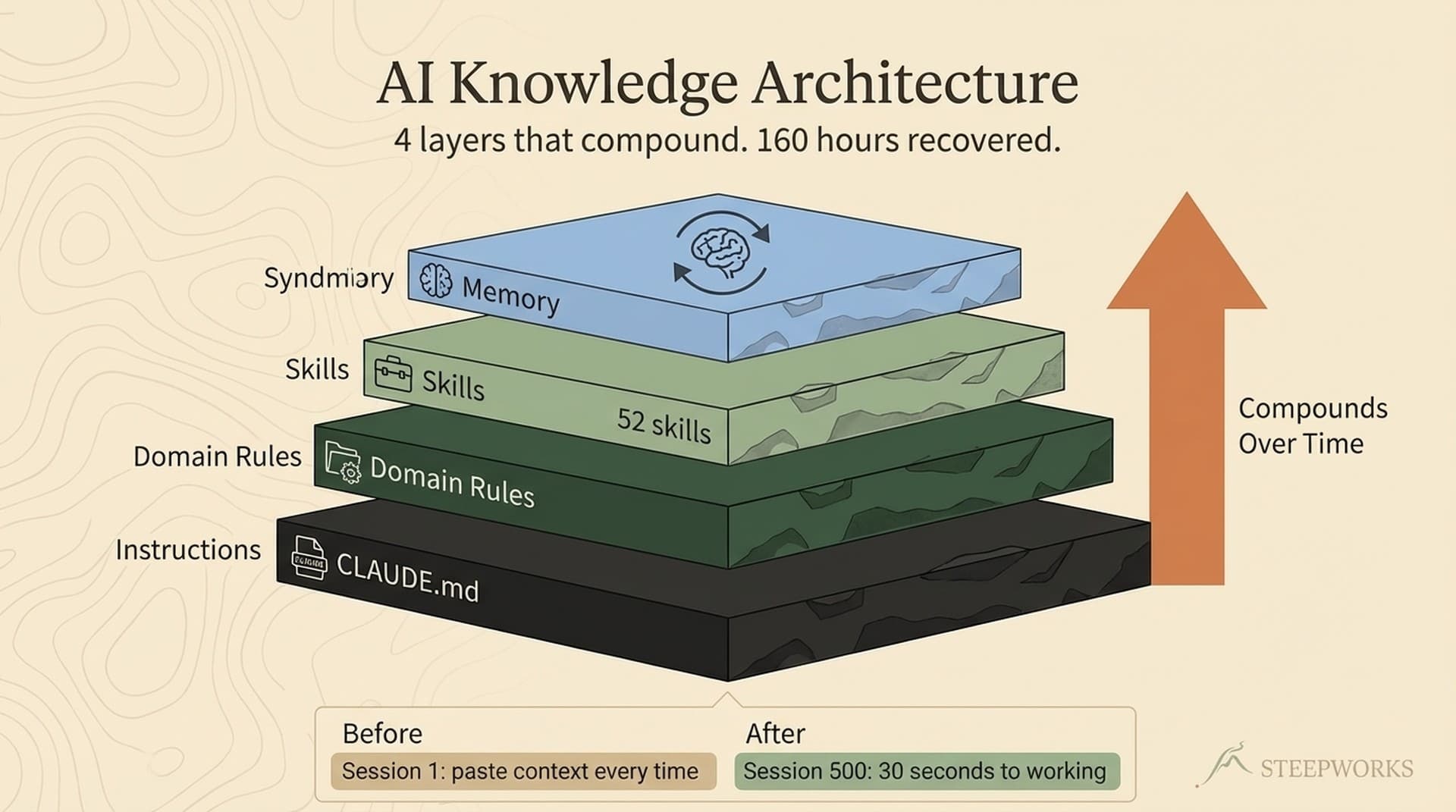
Tier 0: Foundation. A small number of canonical documents that define ground truth. Condensed positioning. Buyer personas. Product capabilities. These documents win all conflicts. If a detail document contradicts a foundation document, the foundation document is correct.
Tier 1: Domain Synthesis. Rolled-up intelligence documents, one per domain. Customer pain points synthesis. Competitive intelligence synthesis. Campaign messaging synthesis. Each one aggregates insights from dozens of source documents into a single, manageable reference. These are the documents agents should read first and often.
Tier 2: Detail Documents. Individual call transcripts, competitor profiles, market reports, research papers. The raw material. Agents only descend to this level when they need specific quotes, validation data, or historical context that the synthesis doesn't cover.
Each tier has YAML frontmatter metadata: pain points, personas, topics, competitors, workflow tags, and crucially, an agent_priority field (critical, high, standard, low) that tells agents which documents deserve context budget.
Hub-and-Spoke Navigation
The synthesis layer is organized as hub documents. Each hub is 6,000-11,000 tokens and covers one domain comprehensively.
| Hub | Tokens | Coverage |
|---|---|---|
| Market Intelligence Hub | ~8K | Positioning, competitive intel, proof metrics |
| Personas and MEDDPICC Hub | ~7K | Buyer personas, sales methodology, deal navigation |
| Objection Patterns Hub | ~6K | Objection handling, proven responses, deal killers |
| Product Capabilities Synthesis | ~4.4K | Integrations, deployment, technical differentiators |
The critical number: hub documents provide 80-90% of the intelligence at 5-15% of the context cost.
Before the knowledge graph, an agent synthesizing competitive positioning would read 8-12 source documents: 15,000-20,000 lines of source material. Context exhaustion guaranteed.
After the knowledge graph, the same agent reads the Market Intelligence Hub (8,000 tokens, ~600 lines) and gets 80-90% of what it needs. Only if the hub explicitly says "for additional evidence, see [[source_doc]]" does the agent descend to Tier 2.
The hub documents are materialized views (to reuse the database analogy from the MapReduce piece). Pre-computed rollups of expensive source material. Query the hub, not the raw tables.
Wiki-Style Linking
Documents reference each other using [[document_name]] links. These create a navigable graph. An agent reading a synthesis document can follow links to evidence documents. An evidence document links back to the synthesis it supports.
This solves the "how do I get from here to there" problem. In Architecture 1 (flat folders), navigation required directory scanning. In the knowledge graph, navigation follows links embedded in the content.
The linking system also enables automated health checks. A script can verify that all [[links]] resolve to actual files. Broken links indicate either deleted documents (need redirect) or renamed documents (need update). Orphaned documents (no incoming links) indicate content that's disconnected from the graph and potentially stale.
The Find Before Create Principle
The knowledge graph has a strict rule: before creating any new document, search for existing documents on the same topic. If you find a 70% or better match, update the existing document instead of creating a new one.
This prevents file sprawl. Without this rule, every research task generates a new file. After six months you have 400 documents, half of which overlap, and the graph becomes as unnavigable as the flat folder you started with.
The 70% threshold is calibrated to avoid both extremes. Too low (50%) and you'd force everything into existing documents, making them bloated. Too high (90%) and you'd create too many near-duplicate files. 70% means "if the existing document covers most of the same ground, extend it rather than forking."
The Pre-Flight Checklist
Before creating any new file, the system checks 8 questions:
Does a synthesis document exist on this topic? Does a hub document cover this domain? Is there an existing detail document that should be updated instead? Does the proposed file fit an existing folder, or does it need a new location? What tier does this document belong to? What metadata should it carry? Which hub should link to it? Does it overlap with any existing content?
This sounds bureaucratic. It's not. The checklist takes 30 seconds and prevents the most common failure mode in knowledge management: creating files faster than you can organize them.
How Agents Actually Use It
Here's what agent-navigated knowledge retrieval looks like in practice:
A cold email skill needs to write a prospecting email to a CISO at a financial services company.
Step 1: The skill queries frontmatter metadata: personas: [ciso], pain_points: [vulnerability_backlog, compliance], topics: [financial_services]. Returns 3 relevant files, ranked by agent_priority.
Step 2: The skill reads the Personas and MEDDPICC Hub (7K tokens). Gets the CISO buying psychology, decision criteria, objection patterns, and message framing guidelines.
Step 3: The hub references [[CORE_buyer_pain_points_synthesis]] for specific pain point language. The skill reads the synthesis (Tier 1) for verbatim customer quotes.
Step 4: Only if the skill needs a specific quote from a specific company does it descend to a Tier 2 call transcript.
Total context consumed: approximately 15,000 tokens across 2-3 documents. Without the knowledge graph, the same task would require reading 8+ documents at 40,000+ tokens, with worse results because of context degradation.
What It Costs to Maintain
The knowledge graph isn't free. It requires ongoing maintenance:
Synthesis updates. When new intelligence arrives (a customer call, a competitive report, a product update), the relevant synthesis document needs updating. This takes 5-10 minutes per update because the synthesis is already organized. You're inserting a new data point, not reorganizing from scratch.
Metadata hygiene. YAML frontmatter needs to stay accurate. When a document's focus shifts, its pain_points and personas tags need updating. Automated health checks flag stale metadata.
Link maintenance. Wiki-style links break when files are renamed or deleted. An automated reference validator catches these, but someone has to fix them.
Hub refresh. Hub documents need periodic refresh to incorporate new synthesis material. Quarterly is sufficient for most hubs. Monthly for fast-moving domains (competitive intelligence).
The total maintenance burden is roughly 2-3 hours per week. That's the cost of having a knowledge system that AI agents can actually navigate. The alternative (flat folders with no structure) costs zero maintenance hours and produces 10x worse agent output.
The Principle
AI agents are only as good as the knowledge infrastructure beneath them.
You can have the best model, the best prompts, the best execution framework. If the agent has to brute-force search through unstructured files to find context, the output will be shallow and incomplete.
The knowledge graph is the least exciting piece of infrastructure I've built. It doesn't demo well. It doesn't make for good screenshots. It's a bunch of markdown files with YAML headers and wiki-style links.
It's also the single largest force multiplier in the entire system. Every skill that queries the knowledge graph produces better output than the same skill operating on unstructured files. The difference isn't marginal. It's the difference between an agent that sounds like it read Wikipedia and an agent that sounds like it's been at the company for a year.
Build the knowledge infrastructure first. Everything else gets better.