The Month 3 Wall
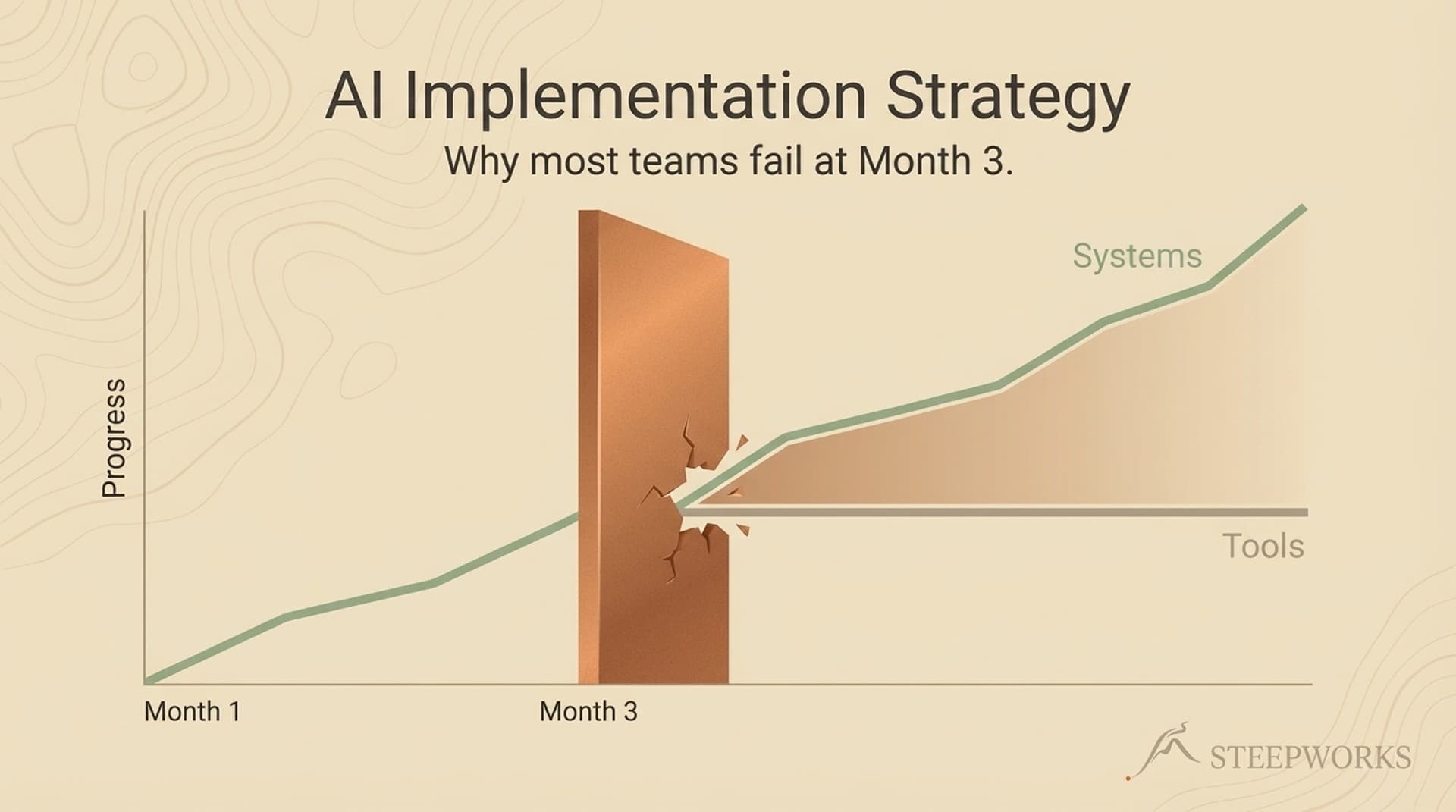
You gave your team an AI writing tool. Three months later, two people still use it. Not because the tool failed — because it isn't connected to anything. It doesn't know your ICP. It doesn't learn from what worked last quarter. Every session starts from zero.
Now imagine the same tool, but it pulls your positioning doc automatically, references the last 10 emails that got replies, and feeds output directly into your CRM. Each week, it gets sharper because it's learning from what your team actually uses.
The first version is a tactic. The second is a system. The difference between them is the difference between an AI implementation strategy that survives and one that quietly dies.
Most teams don't realize they're in the kill zone until adoption has already cratered. Weeks 1 through 4 bring excitement. Weeks 5 through 8 bring friction. Weeks 9 through 12 bring quiet abandonment. The Slack channel goes silent. The shared prompts doc hasn't been updated in a month. Usage dashboards show a cliff.
The numbers confirm the pattern. BCG's September 2025 study of 1,250+ firms found only 5% achieve AI value at scale. 60% report no material value at all. MIT found 95% of enterprise AI proofs of concept fail to achieve financial ROI. Most die in the Month 3 window.
The Month 3 Wall is an architecture problem. Teams hit it because they built with tactics — isolated tools that don't talk to each other and don't learn. I've watched this happen at three companies now, including my own.
My experience is with teams of 1 to 20. If you're running AI implementation at a 500-person org, some of this applies but the change management layer is different. I'm writing for the operator who owns the stack and can actually change how the team works.
Tactics vs. Systems
A tactic is a tool applied to a task. A system is a set of connected workflows where the output of one feeds the input of another, and the whole thing gets smarter over time.
"We use ChatGPT to write cold emails." The rep opens a tab, pastes context, writes a prompt, copies output, tweaks it, drops it into the CRM. Tomorrow, same thing, starting from zero. That's a tactic.
Research feeds a prospect brief. The brief feeds personalized outreach with your positioning, ICP data, and the last three emails that got replies already loaded as context. Responses feed back and improve the brief template. Each cycle leaves behind data that makes the next cycle better. That's a system.
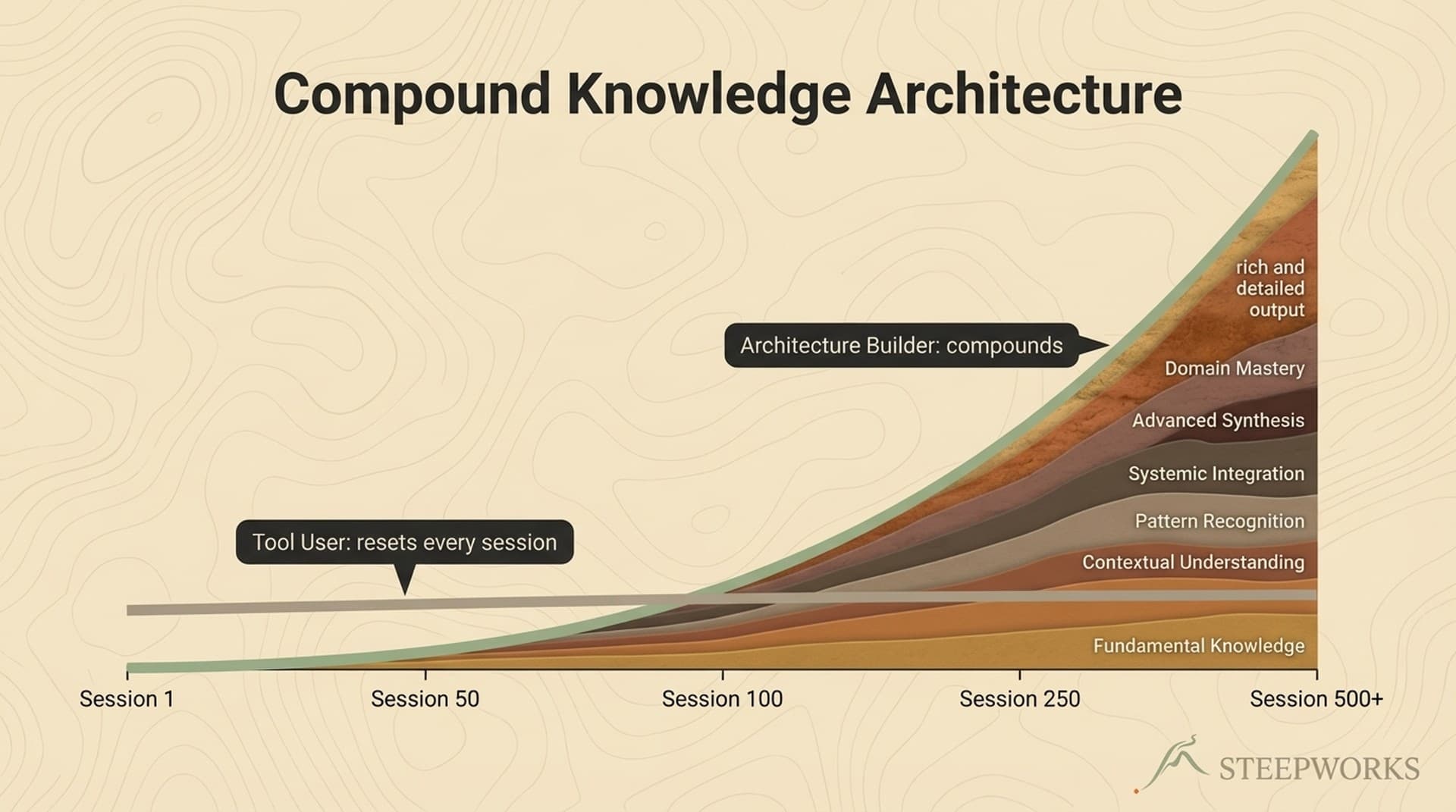
Here's the distinction most people miss: a system without a learning loop is just a more complicated tactic. If nothing improves between iteration 1 and iteration 10, you automated a process. You didn't build a system. The defining feature is that the system remembers.
| Dimension | Tactic | System |
|---|---|---|
| Knowledge | Dies with the chat session | Persists and compounds |
| Adoption | Depends on individual habit | Embedded in team workflow |
| Value curve | Linear (each use = same value) | Compound (each use improves the next) |
| Failure mode | Tool gets abandoned | Workflow gets refined |
| Setup cost | Low (minutes) | Higher (days to weeks) |
| 90-day test | "We stopped using it" | "It keeps getting better" |
RAND found that 80%+ of AI projects fail, at twice the rate of non-AI IT projects. The primary root cause: choosing the tool before defining the workflow.
The 4 Failure Modes
If you've hit the Month 3 Wall, diagnose which failure mode you're in. Most teams are stuck in at least two.
Failure Mode 1: Tool Proliferation
Your team uses six to eight AI tools and none of them talk to each other. Marketing has one. Sales has another. Ops built something in a spreadsheet. Everyone has a personal ChatGPT habit.
Each tool creates its own context silo. Your research tool doesn't know what your writing tool produced. You have eight tools and zero systems.
I lived this. We tested 14 tools over six months. The problem wasn't any individual tool — none of them shared context. Every time we switched tools, we started from zero.
Failure Mode 2: Prompt Dependency
Your best results depend on your best prompt writer. When they're out, quality drops. The team has a shared Google Doc of "best prompts" that nobody maintains.
Prompts are brittle — they work for one context and break in the next, and they never learn from what happened last time. The fix isn't a better prompt library. It's a context document: your positioning, ICP, and 3 to 5 examples of great output, attached to every AI interaction automatically so nobody has to remember to paste it in. That one change turns a prompt dependency into the seed of a system.
Failure Mode 3: Integration Gaps
AI produces good outputs, but getting those outputs into your actual workflow takes four manual steps and two copy-pastes. The last mile kills adoption.
McKinsey's 2025 State of AI found 88% of organizations use AI but only 39% see measurable impact. The AI works. The workflow around it doesn't.
Work backward from the endpoint. If the AI writes a prospect email, but someone still has to copy it into the CRM, format it, and manually log the activity, the rep will skip the AI and just write the email. The system version routes output to where it's needed so the AI-powered path is the path of least resistance.
Failure Mode 4: Rollout Without Adoption Design
You built something that works. You showed the team. They nodded. Three weeks later, one person uses it: you.
This is the failure mode nobody talks about. The first three are about technology. This one is about humans. On small teams, it's arguably the most common — there's no IT department to mandate usage, no training team, no compliance requirement. Every new tool competes with habits that work "well enough."
What actually works on small teams:
- Start with one workflow, not the whole stack. Change one thing that's visibly painful. Let the result sell the next change.
- Make the system easier, not just better. If the AI path requires extra steps compared to the old way, adoption dies.
- Show results in the team's language. "This drafts using our positioning and the prospect's LinkedIn in 2 minutes instead of 20" gets attention. Architecture descriptions don't.
- Build with the team, not for them. The tools I've seen stick are the ones where the first user helped shape the workflow. Top-down mandates fail on small teams because resistance surfaces as quiet non-use.
What to Build Instead
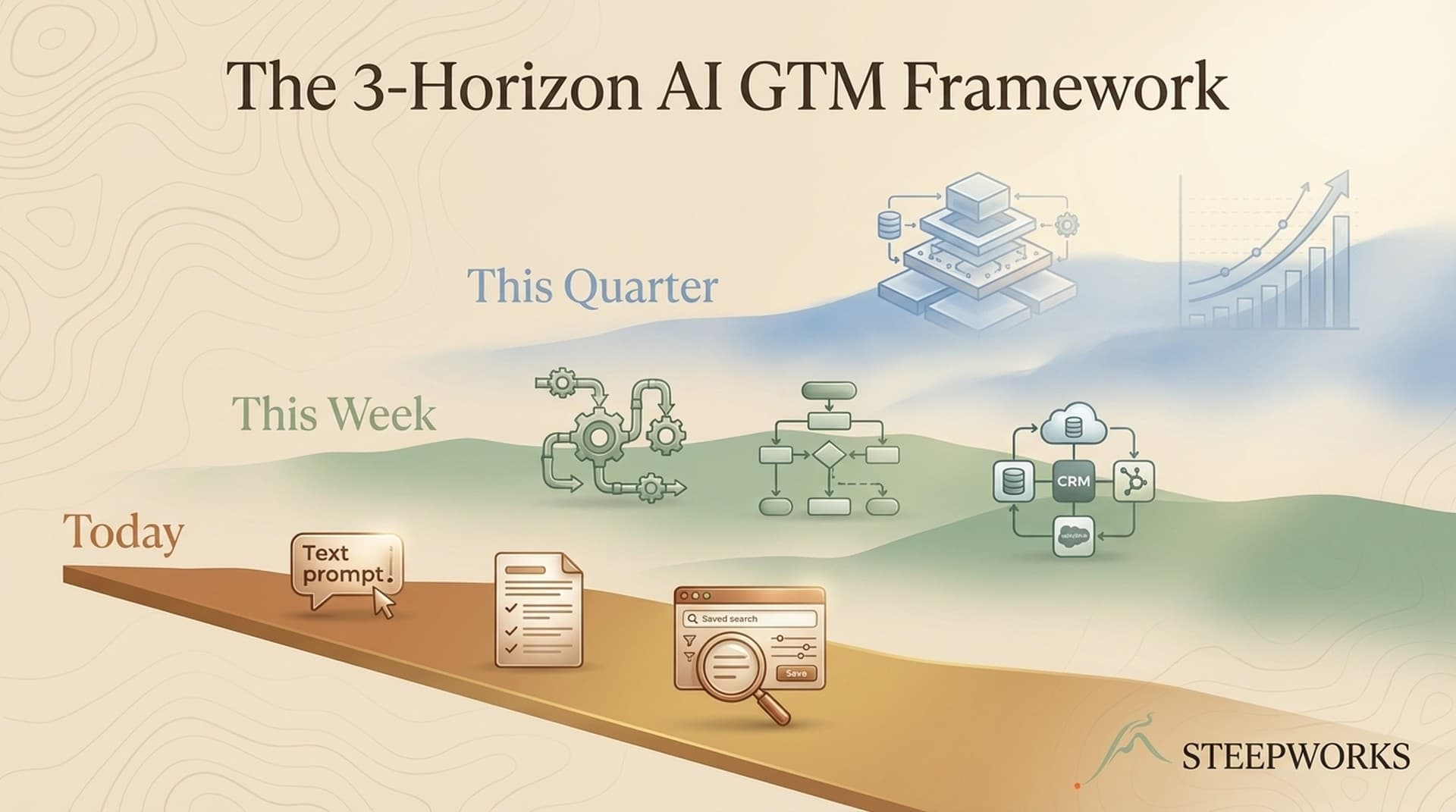
Stop asking "which AI tool should we use?" Start asking "what's the workflow, and where does AI fit?"
Learning Loops: The Thing That Actually Matters
This is the concept that separates a real system from a sophisticated workflow. A learning loop captures what happened, evaluates what worked, and feeds that evaluation back into the next cycle. Without it, you've automated a process. With it, you've built something that improves.
On a small team, here's what that looks like:
- Capture. Every output gets a minimal feedback signal. Did the rep use the meeting brief? Did the email get a reply? A simple "used / not used" flag is enough to start.
- Pattern recognition. Weekly, review the signals. Which brief templates produced briefs the reps actually used? Which email angles got replies? The patterns are often obvious once you look.
- Template refinement. Feed the patterns back. Update the context docs. Retire what doesn't perform. The baseline ratchets upward.
I run a newsletter pipeline where each edition's engagement data feeds back into editorial planning. Six months in, the AI drafts measurably better editions because it knows what this specific audience reads. Not because the model improved — because the context around it did. The first few editions required heavy editing. Now I'm mostly adjusting emphasis and catching tone drift. The difference between month 1 and month 6 wasn't the AI getting smarter. It was the accumulated context getting richer.
On a team of 5, this can be a 15-minute weekly review. Small teams iterate faster than enterprise. That's a structural advantage if you use it.
Skill Chains Over Solo Tools
Research feeds analysis. Analysis feeds content. Content feeds distribution. Distribution feeds measurement. Measurement feeds the next research cycle.
Can you describe your AI workflow as a chain (A feeds B feeds C) or as a list (we use A, and also B, and also C)? If it's a list, you have tools. If it's a chain, you're building a system. (This is how we structure connected pipelines in our own work.)
Companies that redesign workflows before deploying technology see 5x the revenue impact, according to BCG. Workflow first. Tool second.
When Systems Break
They will. The question is whether you notice.
Most tactical AI setups fail silently. The tool stops being used, nobody notices for weeks, and by the time someone asks "whatever happened to that AI thing?" it's been dead for a month.
What I mean by self-healing isn't AI fixing itself — it's building awareness into the workflow so breakdowns surface instead of hiding.
- Track usage, not uptime. If your meeting prep skill hasn't been triggered in 10 days, something broke. The absence of usage is the signal most teams miss.
- Spot quality drift. Did the email drafts get shorter? Did the research briefs stop including recent data? A weekly spot-check catches drift before the team loses trust.
- Run a 15-minute weekly health check. Three questions: What ran and what didn't? Where did someone override the system's output? What feedback signals changed direction?
- Write down what breaks. Three sentences in a running log. After a few months, the log reveals which parts are fragile and which are robust. Here's a real entry from mine: "2025-11-14: Prospect briefs missing enrichment data for 2 weeks. Root cause: Clay API format change. Fix: added weekly enrichment freshness check." That log entry took 30 seconds to write and prevented me from losing another two weeks of degraded output.
If you know something broke within a week instead of a month, you've already beaten most AI implementations.
From 14 Tools to One System
Here's what my own GTM stack looked like before I connected it, and what changed when I did.
Before: Clay for enrichment. HubSpot for CRM. Claude Code for analysis and content. Supabase for data. Beehiiv for distribution. Each tool independent. Research in Clay, write in Claude, paste into HubSpot, manually log everything. 14 tools, zero shared context. Every prospect interaction started from scratch.
After: Clay enrichment feeds a structured prospect brief. The brief feeds Claude Code with persistent context — company positioning, ICP, past outreach. Claude's output routes into the CRM. Newsletter engagement data feeds back into the next research cycle.
Where the learning loop lives: The system captures which outreach angles get responses, which research patterns produce useful briefs, which content topics drive engagement. That signal feeds back into the context documents every AI interaction draws from. Month 1, the context doc was 2 pages of positioning. Month 6, it includes 40+ examples of what actually worked, organized by ICP segment. (That's part of what we're building at STEEPWORKS.)
Where it broke: The Clay-to-Claude connection silently failed for two weeks when an API format changed. I only caught it because the prospect briefs started feeling generic — the enrichment data wasn't flowing. Now there's a weekly check: did the enrichment data refresh? Three minutes catches the failure before it compounds.
Honest results:
- Research-to-outreach went from roughly 40 minutes to 15, tracked over Q4 2025. Most of the savings came from automatic context transfer.
- Each email now builds on accumulated account intelligence instead of starting from scratch.
- "Best practices" that used to live in a doc nobody opened are now encoded as skills that execute automatically.
You don't need to rebuild your whole infrastructure. I started by connecting two tools — Clay output feeding Claude Code context. That single connection taught me more about systems thinking than six months of using both tools separately. If you have a small team and no engineer, start simpler: one context document, attached to your most-used AI tool. One chain.
3 Shifts That Compound Over 90 Days
Shift 1: Map Connections, Not Capabilities
Audit your AI stack, but don't evaluate tools in isolation. For each one: does its output feed another tool's input? If fewer than half connect, you have a tool collection. Drawing the map reveals where context dies between tools — that's where your system breaks.
Shift 2: Build One Chain Before Buying Another Tool
Pick your highest-frequency workflow — prospect research, content creation, deal analysis, whatever your team does 10+ times per week. Connect two steps where output currently requires manual transfer. Add a learning loop from day one, even if it's just a weekly note: "Which outputs did I actually use? What did I discard?"
Start with structured context. One document — positioning, ICP, tone, a few examples of great output — fed to every AI interaction automatically. Cheapest way to turn a tactic into the seed of a system.
Shift 3: Measure the 10th Use, Not the 1st
Stop evaluating AI tools by their demo. Evaluate by whether the 10th use is measurably better than the 1st. If it is, you have a system. If it's the same, you have a tactic. Run the 90-day test before every purchase: "Will my team still use this in 90 days without anyone reminding them?"
The Real AI Implementation Strategy
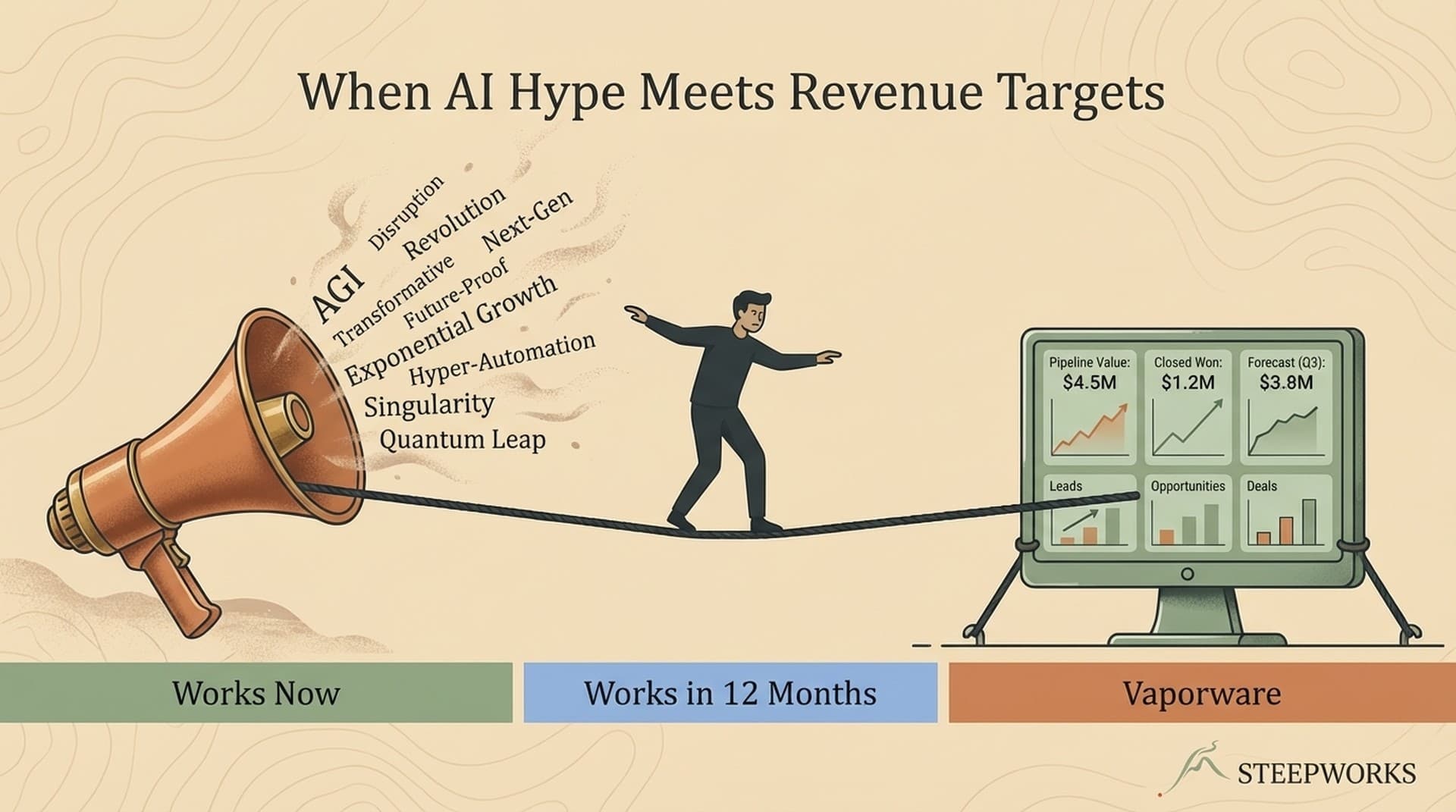
Gartner placed GenAI in the Trough of Disillusionment in 2025. Good. Hype burns off. The people building real things pull ahead.
The Month 3 Wall is where tactics die and systems prove themselves. A real system doesn't just survive Month 3. It uses Month 3 as fuel. The friction generates feedback. The feedback refines the system. The refined system handles the next friction better.
These patterns work best at small-team scale — where the operator owns the stack, where learning loops are short, where you can iterate weekly instead of quarterly. If that's you, you have an advantage enterprise teams would trade their entire AI budget for.
The tools will keep getting better. That's not the bottleneck. The bottleneck is whether you're building them into systems that learn, or applying them as tactics that don't. Start with the workflow. Build for adoption. And when something breaks — it will — make sure you know about it before your team gives up.
In The AI GTM Stack I Actually Use, I walk through the specific tools and connections behind this approach.
Victor Sowers is the founder of STEEPWORKS, where he builds AI-native GTM systems for operators and revenue teams. 15 years scaling B2B SaaS GTM at CB Insights and BurnAlong. 2.5 years building AI into production GTM workflows.