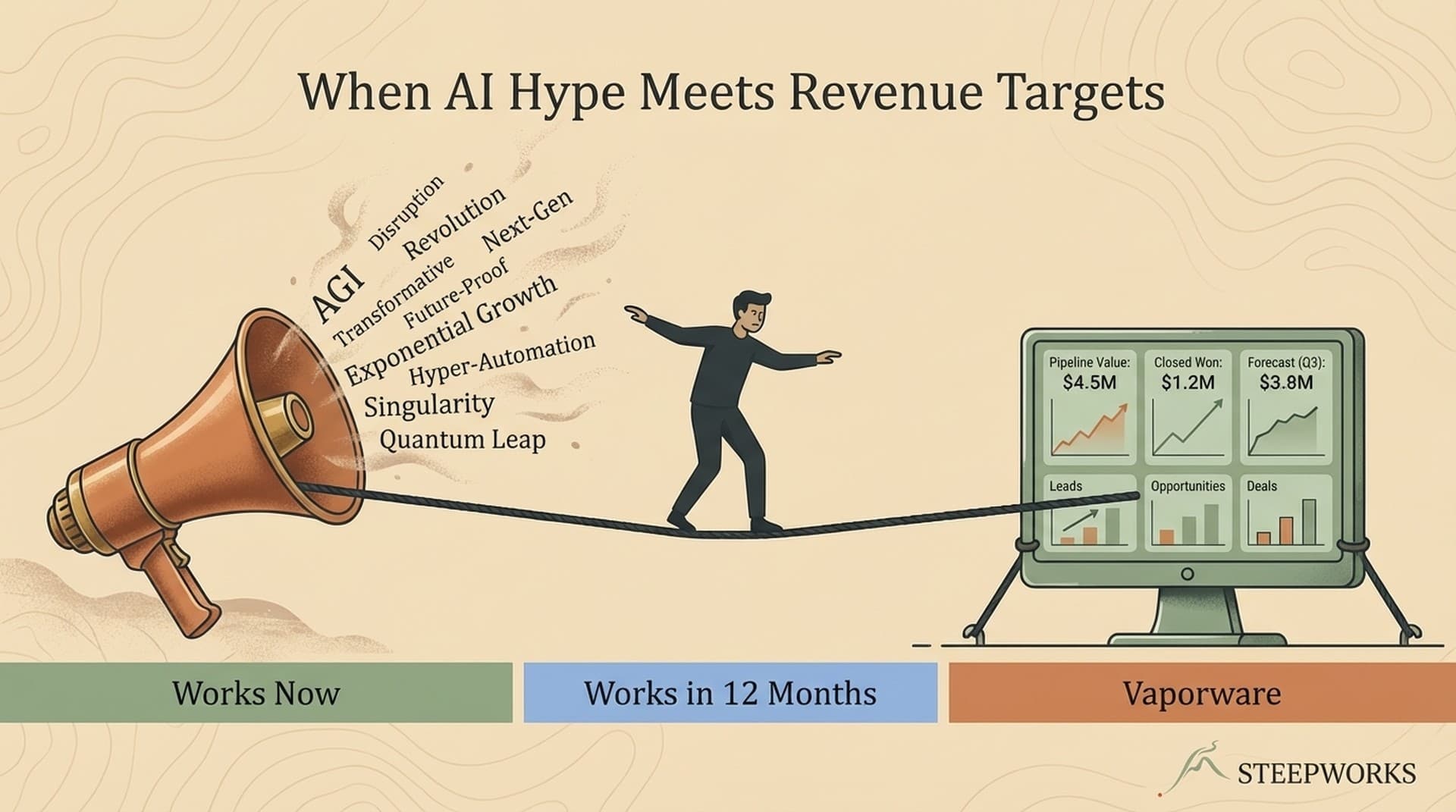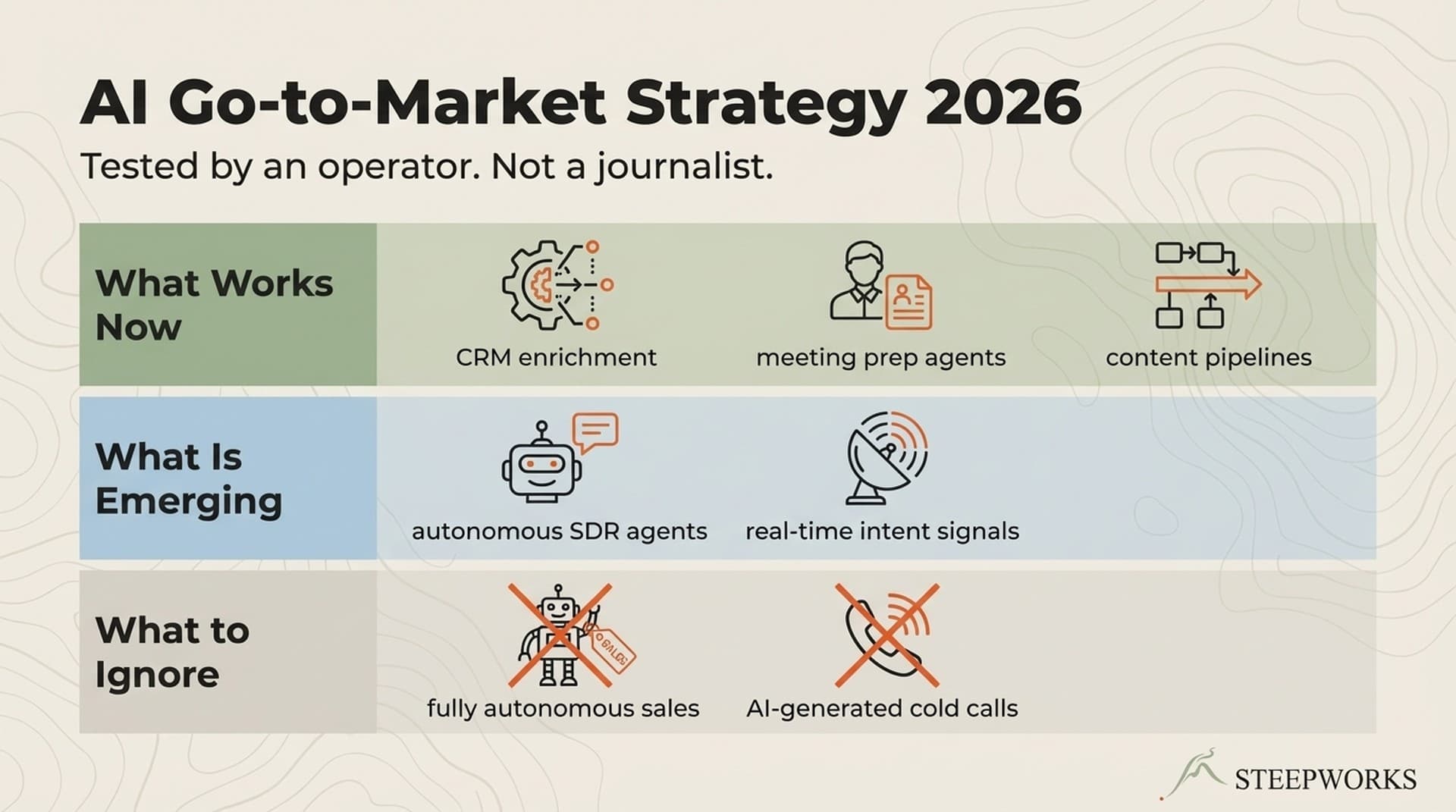
Most AI GTM roadmap articles read like grocery lists. Ten tools to try. Eight tactics to test. No sequencing. No explanation of why order matters. Just a flat list and a vague promise that "AI will transform your pipeline."
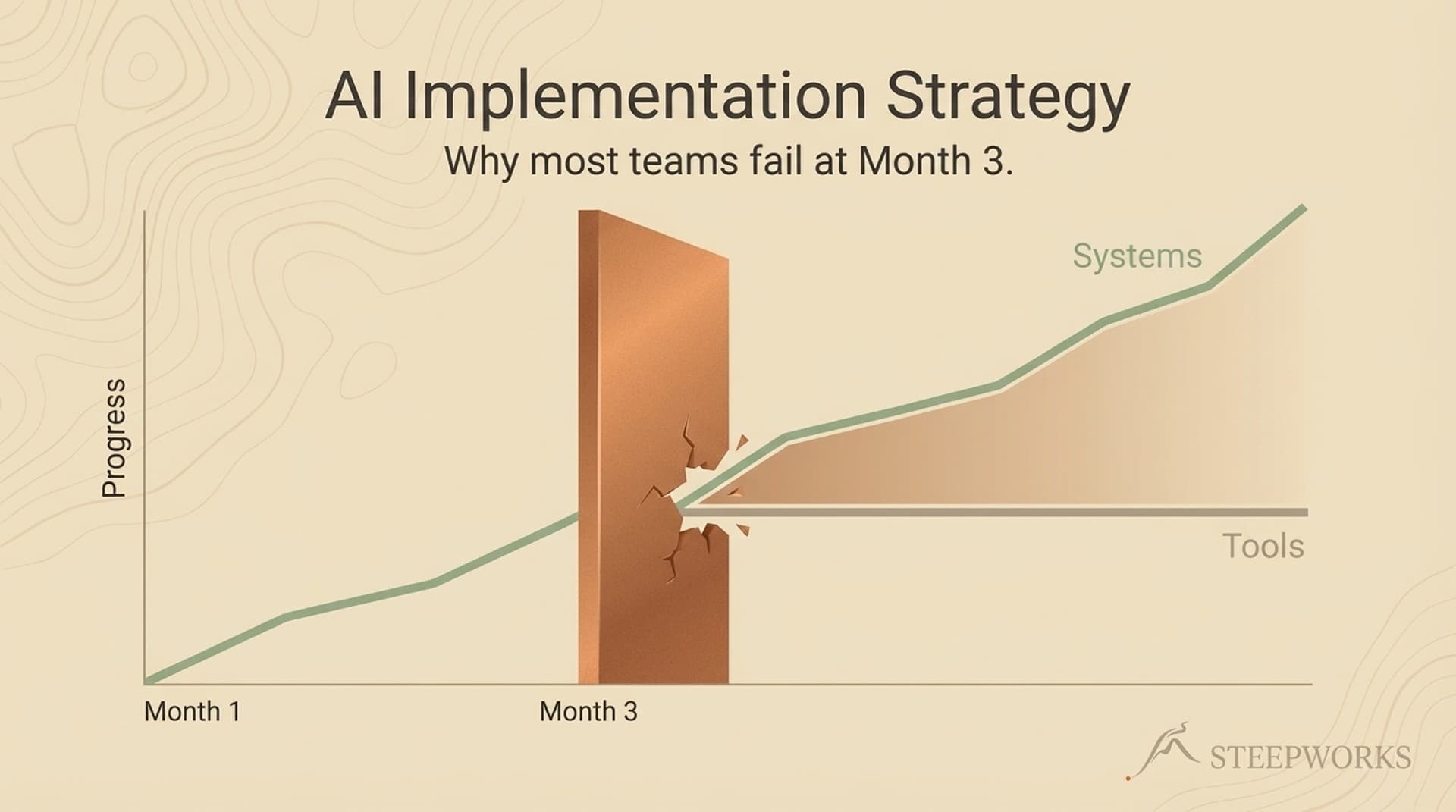
If you've read our piece on why most AI implementations fail at Month 3, this is the companion: what to do about it, and in what order. That article names the pattern -- quick wins that plateau, tactics that don't connect, tools that never compound. This one gives you the sequence.
What I've learned from 2.5 years of building AI-native GTM systems: the work breaks naturally into three horizons, and sequencing matters as much as the tactics.
Every AI GTM Roadmap Starts in the Same Place (And Gets Stuck There)
You've probably done some version of this already. You tried Claude or ChatGPT for email drafts. You ran a few Clay enrichment experiments. You signed up for an AI SDR tool. You got some quick wins.
And then... nothing changed.
The data confirms what you're feeling. McKinsey's State of AI report found that 88% of organizations now use AI, but only 7% have fully scaled it into operations. BCG studied 1,250+ firms and found only 5% achieve AI value at scale -- 60% report little to no value at all.
The gap isn't adoption. It's progression. Teams adopt AI tools fast. They get initial value fast. Then they plateau fast.
Most AI GTM roadmaps don't address progression. They hand you a list of tactics and assume you'll figure out the sequencing yourself. But sequencing is the hard part. Knowing what to do in what order -- and why certain investments only pay off after others are in place -- separates a team that uses AI from a team that's built on it.
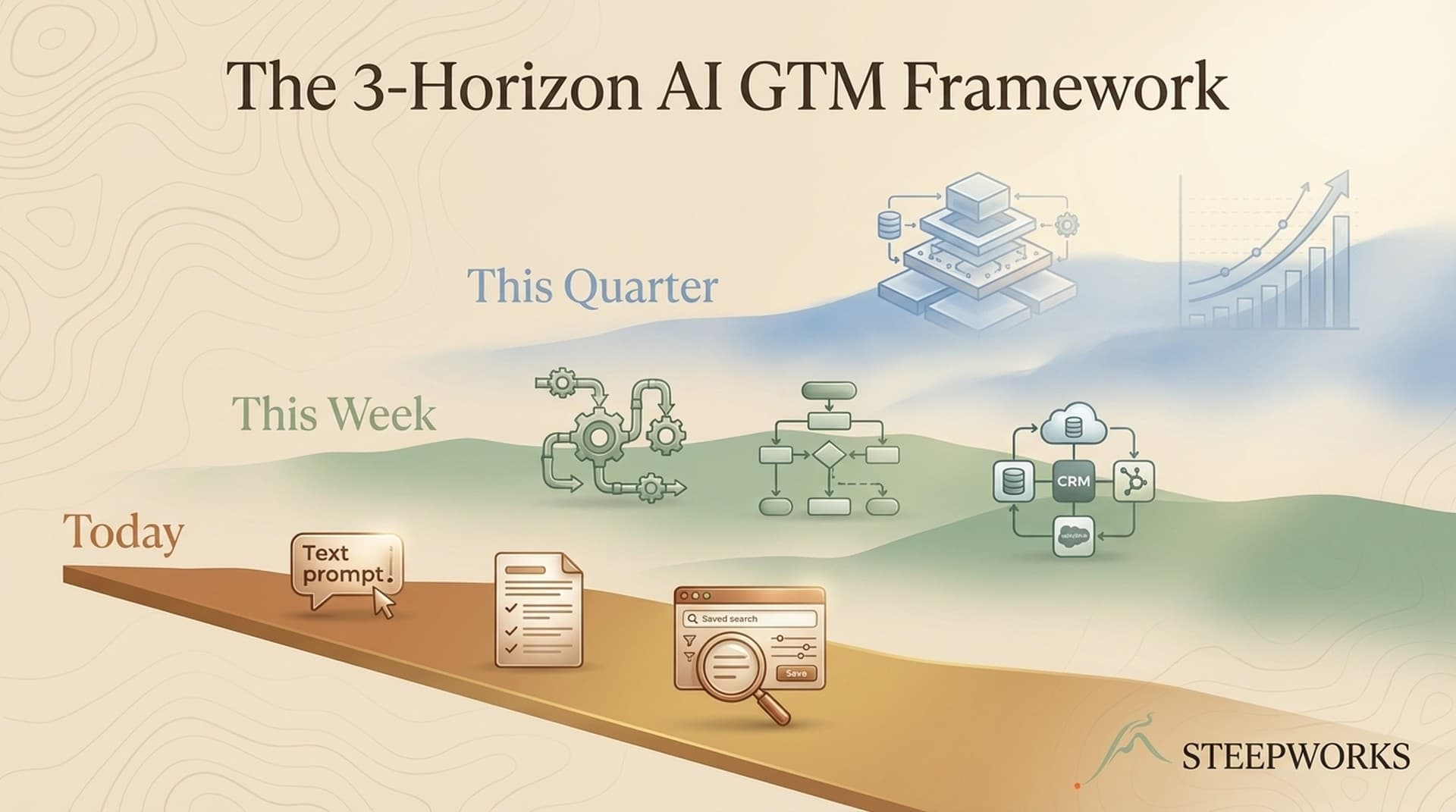
Here's how I think about it: three horizons, three time scales, each feeding the next.
The Framework: Three Horizons, Three Time Scales
Horizon 1: Today -- Quick wins you can deploy in 30 minutes. Individual productivity gains. No permissions needed, no integrations required, no team buy-in necessary. You, a tool, a task.
Horizon 2: This Week -- System changes that connect tools to each other and to your workflow. These require some configuration, some data work, some thinking about how pieces fit together. Still within one operator's control, but now you're building connective tissue.
Horizon 3: This Quarter -- Architecture investments that change how your GTM engine works. Data layers, workflow orchestration, feedback loops that make the system learn. These require commitment, iteration, and patience.
The horizons aren't independent. Horizon 1 reveals what's worth systematizing in Horizon 2. Horizon 2 patterns reveal what needs architectural investment in Horizon 3. Each horizon feeds the next.
| Horizon | Time | Investment | Example |
|---|---|---|---|
| H1: Today | 30 minutes | Your time | Prompt library for cold emails |
| H2: This Week | 3-5 days | Time + configuration | CRM enrichment workflow |
| H3: This Quarter | 8-12 weeks | Time + infrastructure + iteration | Connected data pipeline with feedback loops |
Quick diagnostic -- where do you start?
- "I haven't tried AI for GTM beyond ChatGPT for ad-hoc tasks." -- Start at Horizon 1. The experiments will teach you where to invest.
- "I've used AI tools for 3+ months. I know which prompts work and which don't, but nothing connects." -- Start at Horizon 2. You've done the reconnaissance.
- "My tools are connected but the foundation feels fragile. Adding anything new breaks something else." -- Start at Horizon 3. Your architecture is the bottleneck.
Horizon 1 -- Today: What You Can Do in 30 Minutes
Horizon 1 is individual productivity. You and an AI tool doing one task better than you did it yesterday. No integrations, no infrastructure, no team alignment.
This is where every AI GTM roadmap should start -- not because quick wins are the goal, but because they're the diagnostic. What you learn in Horizon 1 tells you where to invest in Horizon 2.
Meeting Prep in 5 Minutes Instead of 45
Before: You spend 30-45 minutes researching a prospect before a call. LinkedIn, company website, recent news, CRM history. Tab soup.
After: Paste the company name into Claude or ChatGPT with a structured prompt: "Research [company], summarize their last 2 quarters, identify 3 likely pain points based on [your ICP criteria], draft 3 discovery questions." Five minutes.
I built a meeting prep skill that takes this further -- it pulls CRM data first, then layers in web research, classifies the meeting type (discovery, follow-up, partner chat), and adapts the output accordingly. A sales discovery call gets MEDDPICC-level intelligence. A coffee chat gets conversation starters. But that systemized version came later. The first version was a prompt I pasted into Claude.
What you learn: Which parts of your research process are truly manual vs. which parts an AI handles at 80% quality. That 80% matters -- it tells you what to systematize in Horizon 2.
A Prompt Library That Actually Gets Used
My first prompt library was a 40-prompt Google Doc. Nobody opened it after week one -- including me.
What actually worked: 5 prompts, embedded in the tools we already had open. One for meeting prep, one for email personalization, one for competitive positioning, one for follow-up summaries, one for deal qualification notes. Five is a system. Forty is a museum.
The key: treat prompts as working tools, not artifacts. Update them when they produce bad output. Delete the ones nobody uses. Over time, the best prompts evolve from standalone snippets into something more durable -- a shared context file that every tool and workflow reads automatically, so the AI starts every task already knowing your ICP, your positioning, and your voice. But that evolution happens in Horizon 2. In Horizon 1, just get five prompts working.
CRM Data Spot-Cleaning
Pick one CRM field that matters for segmentation or routing but is consistently dirty. Industry, company size, lead source -- whatever's most unreliable.
Use an AI to batch-clean 50-100 records. Not the whole database. Fifty records. See if the output is accurate enough to trust at scale.
What you learn: Whether your data is clean enough for Horizon 2 automation, or whether data quality is the bottleneck you need to fix first. I've seen teams build enrichment workflows on top of CRM data that was 40% wrong. The enrichment runs perfectly -- and produces perfectly useless output.
These examples should feel modest, because they are. "This saves you 30 minutes on meeting prep" is real. "This transforms your pipeline" is not. Horizon 1 is about learning, not transforming.
Why Most Teams Stay Stuck in Horizon 1
Horizon 1 is addictive. And I mean that precisely. Quick wins deliver immediate, visible value. You draft an email in 30 seconds instead of 10 minutes. You research a prospect in 5 minutes instead of 45. The dopamine is real.
The trap: Horizon 1 value is linear. Each task is independent. Tomorrow you start from zero again. The prompt doesn't remember what worked last week. The AI doesn't know your ICP. Every session is a fresh start.
This matches the broader data. Default's study of 300 RevOps teams found the same pattern: teams gravitate toward the easiest paths, not the most impactful. The quick win gravity well is real.
Three forces keep teams stuck here:
1. The demo effect. Quick wins are easy to demo. "Look, I drafted 10 emails in 2 minutes!" Horizon 2 and 3 improvements are invisible until they compound. Nobody demos a clean data pipeline.
2. Configuration tax. Horizon 2 requires connecting tools, mapping fields, cleaning data. Unglamorous work. The return isn't immediate. Most operators would rather draft another email with AI than spend 4 hours configuring an enrichment workflow.
Here's the math they don't run: those 4 hours of configuration save 2 hours every week, forever. The configuration investment pays back in 2 weeks and compounds after that -- but nobody gets a dopamine hit from mapping CRM fields.
3. The "good enough" ceiling. Horizon 1 gets you to 60-70% of what AI could deliver. That feels like a lot. The remaining 30-40% requires 5x the effort. Most teams rationally decide the ceiling is acceptable -- not realizing it's a ceiling, not a floor.
The antidote: recognize that Horizon 1 is reconnaissance, not the mission. The quick wins tell you where the real value is. But you have to listen.
This is the same pattern that drives why most AI implementations fail at Month 3 -- tactics without systems.
When Horizon 1 is enough (for now). If your team is under 3 people, your sales cycle is under 30 days, and your current AI tools save each person 30+ minutes daily -- Horizon 1 might be all you need right now. The framework becomes critical when you scale: more people means more handoffs, more tools means more integration points, more data means more opportunities for systems to compound. Stay in Horizon 1 until the pain of disconnected tools outweighs the cost of connecting them.
No judgment here. This isn't "you're doing it wrong." It's "here's the pattern, and here's how to break it when you're ready."
Horizon 2 -- This Week: System Changes That Connect the Dots
Horizon 2 is where individual tools start talking to each other. The difference between "I use AI for emails" and "my research feeds my emails, and my email performance feeds my research."
Time investment: 3-5 days of focused work. Not full days -- 2-4 hours per day of configuration, testing, and refinement. One operator can do this alone.
The shift: from "AI does this task" to "AI does this workflow." (See also: daily cos brief)
Connect Your Enrichment to Your CRM
If you're enriching prospects in Clay, Apollo, or any enrichment tool but the data doesn't flow back to your CRM automatically, you're doing Horizon 1 work at Horizon 2 scale. (See also: executive communication draft)
The system change: build the enrichment-to-CRM pipeline. New contacts trigger enrichment. Enrichment results write back to CRM properties. Segmentation and routing update automatically.
Time to build: 1-2 days for a basic Clay-to-HubSpot workflow. Longer if your data model is messy (which you'll discover from those Horizon 1 data cleaning experiments).
What changes: every new contact arrives enriched. Your team stops manually researching accounts. Segmentation actually reflects reality.
How Horizon 1 informed this build: after 50 meeting prep sessions, I noticed the AI was consistently bad at identifying recent product launches but good at summarizing financials. That told me my enrichment pipeline needed to prioritize news and press release data over financial summaries. The Horizon 1 experiments didn't just save time -- they mapped the terrain for Horizon 2.
A gotcha worth sharing: the first version of my enrichment pipeline mapped Clay's "industry" field to the wrong HubSpot property. It ran overnight and polluted 200 CRM records with mismatched industry data before I caught it. The fix took 20 minutes. The lesson: always test enrichment flows with 10 records before letting them run unattended. And build a "last_enriched_by" property so you can filter and fix when -- not if -- something writes bad data.
Build a Feedback Loop Into Your Outreach
Horizon 1 outreach: AI drafts an email. You send it. You check results manually. You adjust prompts based on gut feel.
Horizon 2 outreach: your email performance data feeds back into your prompt engineering. Which subject lines got opens? Which CTAs got replies? Which personalization angles worked for which segments? The system learns.
This doesn't require AI agents or sophisticated ML. It requires a spreadsheet, a weekly review cadence, and the discipline to update your prompts based on data instead of instinct.
Orchestrate Your Content Pipeline
If your team produces content (blog posts, social, newsletters, email sequences), the Horizon 2 move is connecting the pipeline: research feeds outlines, outlines feed drafts, performance data feeds future topic selection.
I built a content pipeline where ICP research automatically informs topic selection, and engagement data from published content feeds back into the research layer. The pipeline doesn't just produce content -- it produces better content over time because it learns what resonates.
What makes this Horizon 2 and not Horizon 3: I'm connecting existing tools with configuration and workflow design. The tools themselves don't change. A code-based orchestration layer -- something like setting up Claude Code for GTM -- makes these connections more durable, but even a well-structured set of Zapier automations gets you Horizon 2 value.
I also built a RevOps workflow that routes to 9 different modes based on the question I'm asking -- deal health, pipeline dashboard, forecast prep, QBR, 1:1 coaching, rep scorecard. Each mode pulls from the CRM first, then layers in other data sources. The dispatcher pattern -- one entry point, many specialized outputs -- is classic Horizon 2 connective tissue. You're not building new capabilities; you're connecting existing ones through a shared interface with a shared data protocol.
The transition to Horizon 3: Horizon 2 gets you from linear value to compounding value. But there's a ceiling here too. You're connecting existing tools -- you haven't changed the underlying architecture. That's Horizon 3.
Horizon 3 -- This Quarter: Architecture Investments That Compound
Horizon 3 is architecture. Not tools. Not workflows. The underlying infrastructure that determines how every tool and workflow performs.
Time investment: 8-12 weeks. This isn't a side project. It's a commitment to building infrastructure that will run for 12-24 months before it needs rearchitecting. (course vs done-for-you comparison)
The shift: from "AI improves our workflows" to "our GTM engine runs differently because of AI." (DIY vs professional setup)
Most teams never get here. That's not necessarily wrong -- Horizon 3 investments require technical ownership and strategic patience that not every team has or needs. But the teams that arrive here are the ones BCG's research calls "future-built" -- the 5% achieving value at scale. (Claude Code alternatives comparison)
A Unified Data Layer
The number one architecture investment: a single source of truth for your GTM data. Contact data, company data, engagement data, content performance data, pipeline data -- all queryable from one place. (when to implement Claude Code)
To be clear about what "unified data layer" means at this scale: not a Snowflake data warehouse or an enterprise lakehouse project. It's a database with 5-8 tables that stores contacts, companies, enrichment results, and engagement metrics. A place where your tools write and read. I use Supabase. You could use Airtable, Notion databases, or a well-structured PostgreSQL instance. The tool matters less than the principle: one place where every tool can find and contribute data. (what professional setup includes)
A concrete example. I built a data pipeline for a multi-region events operation. The core schema has about 30 columns per event record -- source identification for deduplication, core content fields, extracted event details (venue, dates, times), AI classification fields (content pillar, urgency, age range, cost tier), and location classification with region partitioning. Six tables total. Every scraper, every classifier, every downstream consumer reads from and writes to the same schema. (why Claude Code feels too hard)
Before this data layer, adding a new event source meant updating 4 separate workflows and hoping they all wrote data in the same format. After, it meant adding one config entry. The new source writes to the shared schema and every downstream system -- newsletters, website, social -- can use it immediately. (Knowledge OS explained)
Why it matters: without a unified data layer, every Horizon 2 connection is point-to-point. Tool A talks to Tool B. Tool C talks to Tool D. Each connection is fragile, and none share context. With a data layer, every tool reads from and writes to the same foundation. (context engineering deep dive)
My first data layer design was over-engineered. I modeled 15 tables with elaborate foreign key relationships before I had data to put in half of them. I rebuilt it twice. The working version has 6 tables. Simpler schemas survive contact with reality. Complex ones collapse under their own weight. (how to evaluate a consultant)
Workflow Orchestration
Once you have a data layer, you need orchestration: something that coordinates workflows across tools, handles sequencing, manages failures, and logs operations.
The difference between "I have 10 automations in Zapier" and "I have a system that knows which automations to run, in what order, with what inputs, and what to do when something breaks."
I built a pipeline orchestrator that chains five phases: fetch, classify, store, export, notify. Each phase logs its metrics -- items processed, errors encountered, duration. If the fetch phase returns nothing, the orchestrator still runs the export phase (because the database might have new data from other sources). If classification fails on one item, it aggregates the error and keeps going instead of crashing the whole run. That's orchestration in practice: not just sequencing, but graceful failure handling and observability.
For a detailed look at what this architecture looks like across an entire GTM system, see what a fully connected AI GTM system looks like.
Self-Improving Feedback Loops
The hallmark of Horizon 3: the system gets better without you manually improving it. Not through magic -- through structured feedback loops.
Performance data feeds back into the system at multiple levels: outreach performance improves personalization prompts, content engagement improves topic selection, enrichment accuracy improves segmentation models.
This is what BCG's "future-built" companies do. They achieve 5x the revenue increases not because they use better tools, but because their tools learn from their own output.
Horizon 3 reality check: what "this quarter" actually means.
When I say 8-12 weeks, here's what that looks like in practice:
- Weeks 1-4: Build a working v1 that handles 60% of your data. It will be rough. Ship it anyway.
- Weeks 5-8: Fix what v1 got wrong. Add the data sources you skipped. Handle the edge cases that broke things.
- Weeks 9-12: Extend to cover the remaining 40%. By now you have something durable.
- Ongoing: 2-3 hours/week of maintenance. Reviewing automated outputs, fixing the occasional broken integration, extending schemas as needs evolve.
This is feasible for one technical operator who can write SQL queries and configure webhooks. If nobody on your team has those skills, Horizon 3 needs a different shape: a managed platform like HubSpot Operations Hub, a low-code tool like Make/n8n with pre-built templates, or a part-time technical contractor. The investment is real either way -- the question is whether you spend it on building or buying.
Honest caveat: Horizon 3 requires sustained investment. Most of these projects take 2-3 iterations to get right. The first version of your data layer will be wrong. The first version of your orchestration will break. Budget for iteration, not just implementation.
How the Horizons Connect (And Why Sequencing Matters)
The horizons aren't independent phases you "graduate" from. They're concurrent layers. You keep doing Horizon 1 work even after you've built Horizon 3 infrastructure. The difference is context: Horizon 1 experiments feed into Horizon 2 and 3 systems instead of existing in isolation.
H1 feeds H2: Your meeting prep prompt experiments reveal which research dimensions matter most for your ICP. That becomes the schema for your enrichment workflow. Your CRM data cleaning reveals which fields are reliable and which need automated quality checks. Your email drafting experiments reveal which personalization angles work -- that becomes the logic for your outreach system.
H2 feeds H3: Your enrichment-to-CRM pipeline reveals data model gaps. Your outreach feedback loop reveals what performance data you need to capture. Your content pipeline reveals where manual handoffs create bottlenecks. These patterns tell you what architecture to build.
H3 enables better H1: Once you have a data layer and orchestration, your Horizon 1 experiments become radically more effective. Meeting prep pulls from enriched, structured data instead of raw web searches. Email drafts reference historical performance. CRM cleaning runs automatically. The quick wins get quicker because the infrastructure supports them.
The virtuous cycle: each horizon makes the others more effective. That's why the framework compounds -- and why you can't skip horizons without building on sand.
To be fair, "don't skip horizons" isn't absolute. Some teams with strong technical foundations can compress Horizon 1 into a week and start at Horizon 2. Some teams with clean CRM data can skip the data cleaning experiments entirely. The sequencing is a default path, not a mandate. But if you're unsure where to start, the horizons give you a map.
Your AI GTM Roadmap Starts With an Honest Assessment
Before you build anything, answer three questions honestly:
1. Where am I now? If you haven't run Horizon 1 experiments, start there. Don't jump to building data pipelines when you haven't tested whether AI can improve your meeting prep. If you've been doing quick wins for 6+ months without connecting them, you're stuck -- and you now know why.
2. What's my bottleneck? Is it time (you haven't tried anything yet)? Configuration (you have tools but they're not connected)? Architecture (your tools are connected but the foundation is fragile)? The bottleneck tells you which horizon needs attention.
3. What's my appetite for investment? Horizon 1 costs time. Horizon 2 costs time plus configuration effort. Horizon 3 costs time plus infrastructure plus sustained iteration. Be honest about what you can commit to. A well-executed Horizon 2 beats an abandoned Horizon 3.
The progression isn't mandatory. Some teams thrive at Horizon 2 for a long time. The point isn't to reach Horizon 3 as fast as possible -- it's to stop treating Horizon 1 quick wins as a complete AI GTM roadmap.
Infuse's AI implementation handbook makes the same argument from a different angle: structured implementation beats ad-hoc adoption. The teams achieving 5x the results aren't doing 5x the tactics. They've built systems where tactics compound. And as GTM Strategist observed, AI didn't create broken GTM architecture -- it exposed what was already broken.
That's what the horizons give you: a path from doing more things with AI to building something that learns.
The best AI GTM roadmap isn't a list of tools or a strategy deck. It's a sequence: quick wins that teach you where to invest, system changes that connect the dots, and architecture that makes the whole thing compound. Start where you are. Build toward where the value is.