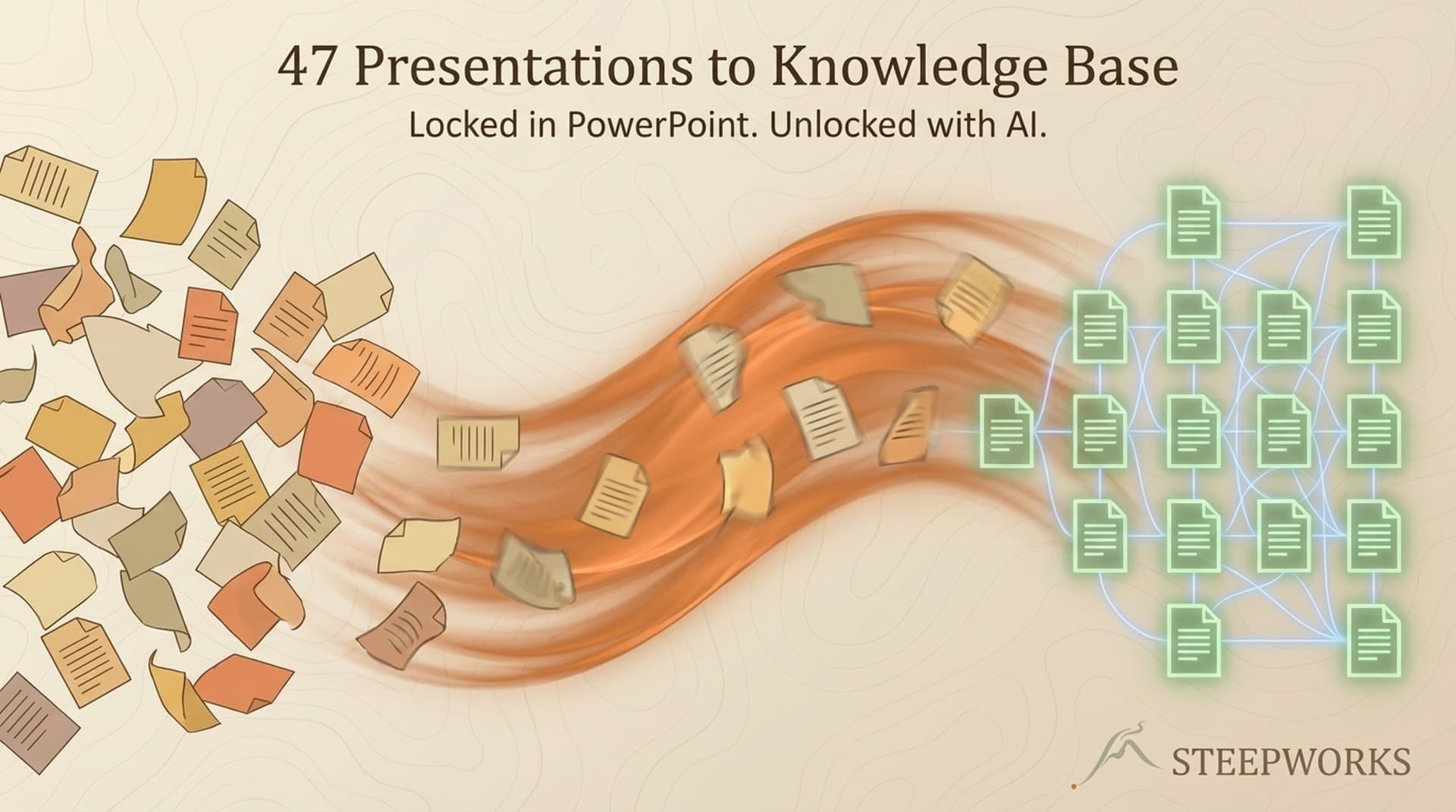
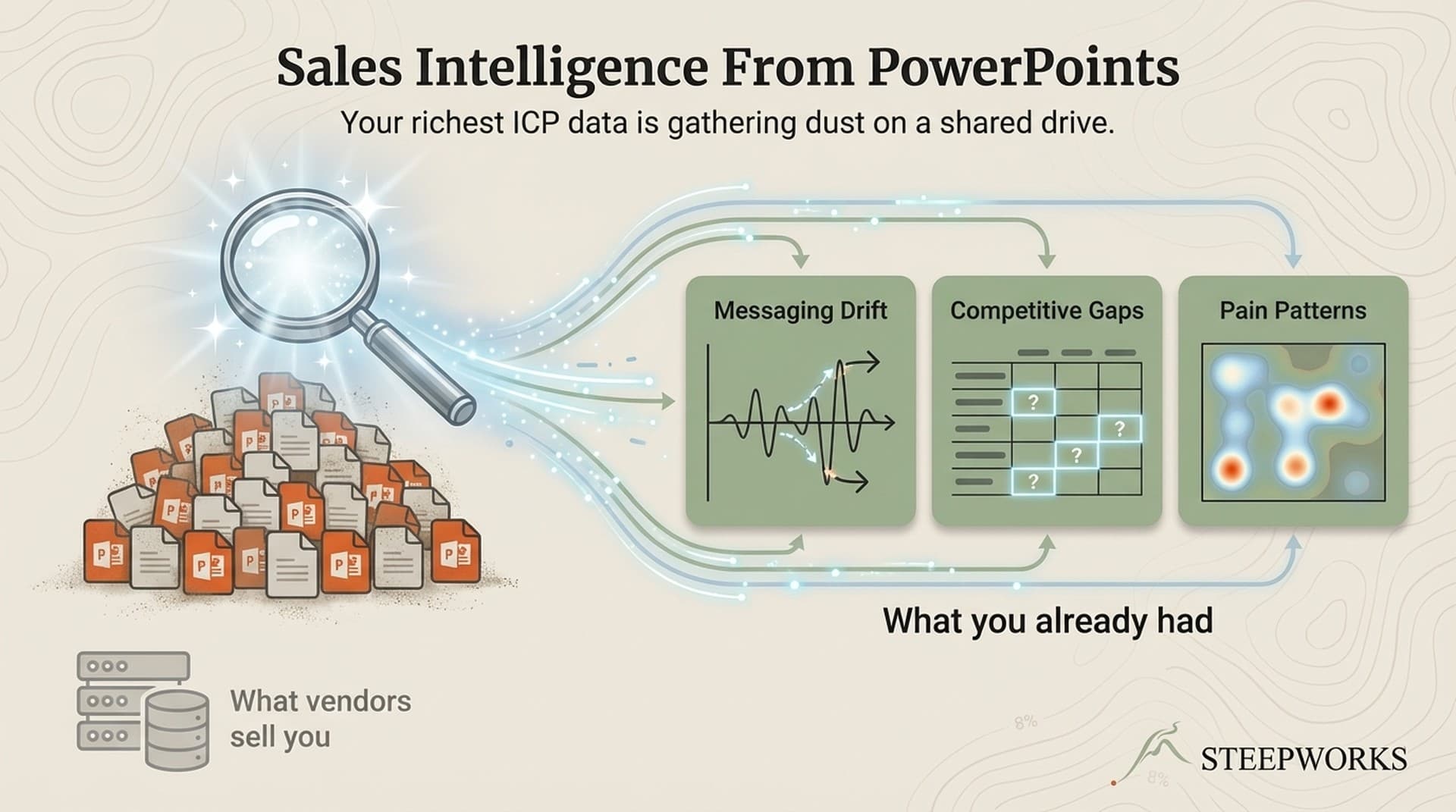
A PE-backed industrial company hired me to sharpen their GTM. The CCO pointed me to a shared drive. Inside: 47 sales presentations, strategy decks, and customer-facing materials -- years of accumulated knowledge locked in PowerPoint and PDF files. Nobody had read all of them. Nobody could search across them. The collective sales knowledge of the entire company existed only in fragments.

That shared drive was the richest sales knowledge management asset the company had. They just couldn't use it.

Employees spend roughly 1.8 hours daily searching for information they need to do their jobs. For sales teams, the problem is worse -- the knowledge was never captured in the first place. It lives in presenter notes, in the way a senior AE structures a competitive slide, in objection handling language refined over dozens of conversations but never written down. It lives in CRM fields nobody exports. In call recordings nobody transcribes. On your own website, where messaging may have drifted from what the team actually says in the field.

Your version might be 200 pitch decks in Google Drive, three years of QBR presentations in Notion, and competitive battlecards your enablement lead stopped updating six months ago. Or it might be 14 months of Gong recordings nobody has cross-referenced, a CRM with 2,000 closed-won records nobody has pattern-analyzed, and a website telling a different story than your sales team. Different formats. Same buried intelligence.

I'm going to walk through how I turned those 47 presentations into a searchable knowledge base -- then extended the same extraction logic to calls, CRM data, structured team interviews, and the company's own website.


Why Your Sales Enablement Platform Doesn't Solve This

Content Management vs. Knowledge Extraction

Content management is what Guru, Highspot, and Seismic do: organize, distribute, and surface content your team has already formalized. Product sheets, battlecards, playbooks. Valuable. But it only manages knowledge you've explicitly created.

Knowledge extraction is what this article describes: mining unstructured materials for intelligence that was never formalized. The objection handling in a senior AE's presenter notes. The competitive positioning that evolved over 30 pitches without anyone updating the battlecard. The CRM fields encoding deal patterns nobody has aggregated. The call transcripts where your best rep says something different from what the playbook prescribes.

Your enablement platform stores what you put into it. This process discovers what you didn't know you had. Knowledge management best practices consistently note that workers waste nearly an hour daily searching for information -- but the bigger cost is knowledge that's never surfaced at all.

The Three Layers of Sales Knowledge

Every company has three layers:

  1. Documented knowledge -- Product specs, pricing, case studies. Already in your enablement platform. Searchable, maintained.

  2. Observed knowledge -- What Gong and conversation intelligence capture. How reps actually talk to buyers, how objections get handled live. Valuable but reactive -- it captures what happened, not what was deliberately designed.

  3. Embedded knowledge -- Strategic decisions encoded in sales presentations, CRM deal notes, interview answers, and your own website copy. Which pains to lead with, how to position against competitors, which segments to target. This layer evolves through accumulated improvisation -- reps refine slides over dozens of meetings, sales engineers log technical notes in the CRM, marketing updates the website without checking what sales actually says. Real market learning, scattered across systems.

Most sales knowledge management efforts focus on layers 1 and 2. Layer 3 is the richest and the least captured.


The Extraction Pipeline -- 47 Files to a Searchable Knowledge Base

Stage 1 -- Text Extraction (Binary to Readable)

PowerPoint and PDF are binary formats. You can't search across them or run pattern analysis without extracting the text first.

We used python-pptx and PyPDF2 -- straightforward Python libraries. Output: raw text files, one per presentation, preserving slide structure and presenter notes.

Two hours for 47 files. Not glamorous. But the presenter notes were where the richest knowledge lived -- the talk track, the objection responses, the "if they ask about [competitor], say this" guidance that never made it into any formal document.

Stage 2 -- Structuring and Categorization (Readable to Queryable)

Raw extracted text is messy. The structuring step adds consistent formatting, tags each section with metadata (source deck, date, audience type, presentation context), and categorizes content into knowledge domains:

  • Pain articulation -- how the team described customer problems
  • Competitive positioning -- claims about specific competitors
  • Capability descriptions -- how the company described its own strengths
  • Customer segment references -- which industries and use cases appeared
  • Objection handling -- responses to buyer pushbacks

AI is genuinely useful here. An LLM can categorize raw text consistently across all 47 documents. The key: build the taxonomy first -- define your categories before you start categorizing. We used a structured extraction prompt that applied the same schema to every document. That consistency is what makes cross-referencing possible later.

Stage 3 -- Building the Knowledge Base (Queryable to Searchable)

Each extracted item -- pain point, competitive claim, capability description, objection response -- tagged with: source deck, date, audience type, frequency across the corpus.

Organized into structured markdown files by category. The CCO could browse by topic ("show me all competitive positioning against [Competitor A]") or search for specific terms across the entire corpus.

The output wasn't a database. It was a well-organized folder of markdown files with clear navigation -- designed for a non-technical executive to use without engineering support.

The Scrappy Version -- No Python Required

For teams without engineering support:

  1. Export each presentation to PDF if not already
  2. Upload 5-10 at a time to Claude with a structured extraction prompt: "For each presentation, extract: (a) customer pains mentioned, (b) competitors referenced, (c) capabilities claimed, (d) objection handling language, (e) customer segments targeted. Output as a structured table."
  3. Combine the outputs into a single spreadsheet or Notion database
  4. Sort and filter to find patterns: frequency, drift over time, inconsistencies between reps

Time investment: 4-8 hours for 15-20 presentations. Not a multi-week project.

Honest scope: The scrappy version gets you 60-70% of the insight at 20% of the effort. The scripted pipeline is better for 30+ documents where manual combining becomes unwieldy. Start scrappy. Automate later if the value is clear.


Extending the Pipeline Beyond Presentations

The 47 presentations were the starting point, not the finish line. Once the extraction taxonomy existed -- pains, competitors, capabilities, segments, objections -- it became a lens I could point at any knowledge source. The same five categories applied everywhere. What changed was the extraction method.

Source 2 -- Calls and Conversation Data

Most teams have call recordings in Gong, Chorus, or similar. Those platforms surface individual call insights well. What they don't do is cross-reference call language against your presentation language to find the gap between what reps plan to say and what they actually say.

  1. Pull transcripts from your conversation intelligence tool (most offer CSV or API export)
  2. Run the same taxonomy -- pain language, competitive mentions, capability claims, segment references, objection handling
  3. Compare against the presentation corpus -- where does the live conversation match the planned talk track? Where does it diverge?

At this engagement, the divergence was telling. Presentations led with technical capability. In live calls, the top-performing AE led with an operational pain that didn't appear in any deck. He'd learned through repetition that it resonated -- never documented, never shared.

Scrappy version: Export 10-15 call transcripts. Upload to Claude with the same extraction prompt. Compare side by side.

Source 3 -- CRM Data via API

Your CRM encodes deal intelligence nobody aggregates at the pattern level. Individual records are useful for pipeline management. Aggregate patterns across 200+ closed-won records tell you things no single deal view reveals.

  1. Pull structured fields via API -- deal stage progression, deal size, industry, time-to-close, competition mentioned
  2. Pull unstructured fields -- deal notes, loss reasons, custom text fields where reps log meeting takeaways
  3. Map to the same taxonomy -- which pains appear in deal notes? Which competitors in loss reasons? Which segments close fastest?

The CRM added a dimension presentations and calls couldn't: outcome data. Presentations told us what the team said. Calls told us what they actually said. The CRM told us what worked -- which deals closed, how fast, and what patterns correlated with winning.

The unstructured deal notes were the richest CRM source -- reps had been logging competitive intel, buyer objections, and deal context for years without anyone mining it at the corpus level.

Scrappy version: Export closed-won deals to CSV. Filter to the last 12-18 months. Upload the deal notes column to Claude: "Identify the most frequently mentioned customer pains, competitors, and objection themes. Rank by frequency."

Source 4 -- Structured Team Interviews (AI-Assisted Extraction)

The source most teams overlook. Your senior reps, sales engineers, solutions architects -- they carry accumulated knowledge that doesn't exist in any system.

Traditional approach: schedule a 60-minute interview, take notes, file them somewhere. The interview meanders. The knowledge stays fragmented.

Structured extraction is different:

  1. Design interview protocols around the taxonomy -- not "tell me about your deals" but "What are the top three pains you lead with? Which competitor comes up most? What's the most common objection and how do you handle it?"
  2. Use AI to structure output in real-time -- record the interview, feed the transcript through the same categorization prompt, output drops directly into the knowledge base
  3. Cross-reference against other sources -- when a senior AE says "I always lead with [pain X]," check whether presentations, calls, and CRM data confirm or contradict

I ran structured interviews with four team members. The most valuable finding: the sales engineer's objection handling was substantially different from the AE's -- and the sales engineer's version won more technical evaluations. Invisible until we had both extractions side by side in the same taxonomy.

You can build this as a reusable interview skill -- a prompt that asks the taxonomy questions in sequence and categorizes responses in real-time. Output is structured knowledge, not a raw transcript. I've built these for multiple engagements since, and time from interview to indexed knowledge base entry dropped from days to minutes.

Scrappy version: Write five questions mapped to your taxonomy. Record a 20-minute call with your best AE. Upload the transcript to Claude: "Extract and categorize into: pains, competitive positioning, capability claims, segment focus, objection handling. Structure as a table."

Source 5 -- Your Own Website (The Mirror Test)

This one surprised the team more than any other source.

Your website is a public declaration of your positioning. But at many companies, website messaging and sales messaging have drifted apart -- sometimes dramatically.

  1. Scrape your key pages -- homepage, product pages, solutions pages, case studies. Simple web scraping or just copy-paste
  2. Run the same taxonomy -- what pains does the website lead with? What capabilities? What segments?
  3. Compare against the presentation/call/CRM corpus -- where does the website match what actually closes deals? Where has it drifted?

At this engagement, the comparison was stark. The website led with a capability story -- "we build X technology." The presentations had evolved to lead with an operational pain -- "your team spends Y hours on Z, and that's costing you $W." The sales team had learned that pain-led messaging worked better, but nobody had updated the website. It was telling a two-year-old story.

The gap between what your website says and what your sales team says is one of the highest-value findings this analysis produces. Also one of the simplest to act on.

Scrappy version: Copy text from your five most important pages. Paste into Claude alongside five recent presentations. Ask: "Where do the website and the presentations agree on pains, capabilities, and positioning? Where do they disagree?"


What I Found -- Four Categories of Buried Sales Knowledge

Finding 1 -- Messaging Inconsistencies Nobody Knew About

Different presentations told meaningfully different stories about the same capabilities. Not minor wording differences -- different value propositions emphasized, different problems positioned as primary, different proof points cited.

When mapped across all 47 decks, consistent messaging indicated battle-tested positioning. Inconsistent messaging indicated unresolved positioning questions where the team hadn't figured out how to talk about a capability yet.

The CCO's reaction: "I knew we had this problem but I couldn't prove it." The knowledge base turned a suspicion into evidence.

When we layered in call transcripts and CRM data, the picture sharpened. Messaging inconsistencies in presentations correlated with longer deal cycles. Deals where the rep used the converged language closed 30% faster than deals where the rep was improvising. Not a theory -- a pattern across 14 months of CRM data.

Your version: Pull your last 20 pitch decks. What pain does your team lead with? If it's the same across all reps, your messaging is aligned. If each rep leads with a different pain, your messaging is a suggestion, not a strategy. The knowledge base makes the variance visible and quantifiable.

Finding 2 -- Competitive Intelligence Buried in Individual Slides

Competitive positioning varied by rep and by time period. Some positioned on speed, others on cost, others on technical depth. The variance wasn't random -- it correlated with which competitors came up in specific deals.

The aggregate pattern was the intelligence: it showed which claims the team had organically converged on (indicating they work) and which were still fragmented (positioning not resolved).

Several differentiators that one AE had discovered and used successfully had never propagated to the rest of the team. They lived in one person's slides. The CRM loss reasons confirmed it: deals lost to Competitor A cited a differentiator only one rep was using. The rest of the team didn't know it existed.

Your version: Do your AEs all tell the same story about why you beat your top competitor? Pull their competitive slides. The variance will tell you whether your positioning is a coordinated strategy or individual improvisation.

Finding 3 -- Objection Handling That Lived Only in Presenter Notes

The richest objection handling wasn't in any formal playbook. It was in presenter notes -- the "if they ask X, say Y" annotations reps had built up over dozens of conversations.

Across 47 presentations, we extracted 30+ unique objection-response patterns. Fewer than half overlapped with the official guide. The rest were field-tested responses that worked well enough for a rep to write down -- but never shared.

The structured interviews amplified this. When I asked each team member "what's the hardest objection you face and how do you handle it?", the answers were consistent on the objection but divergent on the response. Four people, four approaches to the same pushback. The knowledge base made it possible to see which response correlated with deal progression in the CRM.

When that senior AE leaves, those objection responses walk out the door.

Your version: Ask your top-performing AE to show you their presenter notes. If they contain objection handling language that's not in your sales playbook, you have a knowledge extraction opportunity.

Finding 4 -- The Revealed ICP (What the Sales Team Already Knew)

Customer segment patterns across the presentations revealed a "revealed ICP" -- the segments the team was actually selling to, vs. what the documented ICP said they should target. Certain industries appeared in 70%+ of presentations but weren't listed as target segments. Others were listed as priorities but appeared in fewer than 10% of recent decks.

The CRM validated it. Segments appearing most in presentations also had the highest win rates and shortest deal cycles. "Official" target segments that rarely appeared in presentations had the lowest win rates. The team had already learned which segments work -- the learning just lived in aggregate patterns, not in any document.

The website comparison made it worse. Two of three segments featured on the website had the lowest close rates. The segment with the highest close rate wasn't mentioned on the website at all.

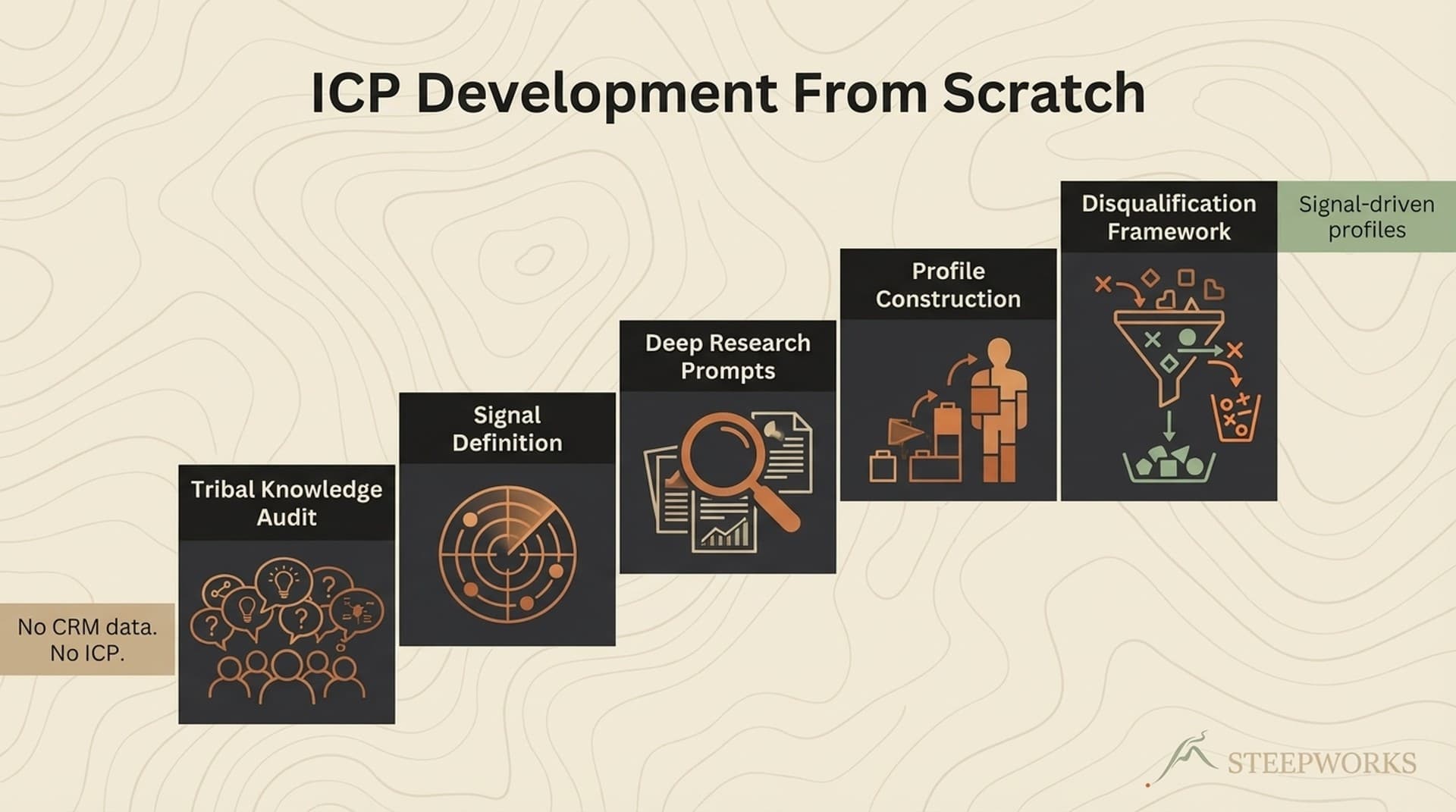
For the full ICP development process that followed this extraction work, see our field report on building an ICP from scratch at a PE-backed company.


Making the Knowledge Base Compound -- The Feedback Loop

From Project to System

The knowledge base was valuable on day one. It becomes an asset when maintained. Every new presentation, every batch of calls, every quarter of CRM data encodes new market learning.

Quarterly refresh: add new presentations, pull fresh call transcripts, export updated CRM data, re-run the extraction. Each refresh sharpens the pattern analysis. The messaging drift analysis becomes a timeline. The revealed ICP either stabilizes or shifts -- both are useful signals.

Maintenance reality: The quarterly refresh takes 2-4 hours for presentations and website. CRM and call extraction can be automated. Assign a single owner -- RevOps or a senior enablement lead. Without an owner, the knowledge base decays. Most knowledge bases die not from lack of value but from lack of maintenance cadence.

How the Knowledge Base Feeds Back Into Enablement

The feedback loop that makes this compound:

  1. New rep onboarding -- Instead of two weeks of call shadowing, new reps search the knowledge base for "how do we position against [competitor]" or "what objections come up in [segment]" and get field-tested responses. The interview extractions are particularly useful -- they capture the why behind the what.

  2. Messaging alignment -- When marketing updates the messaging guide, check it against the knowledge base. Does new messaging match what sales actually says? Does it match the website? Or is it aspirational in all three places?

  3. Competitive intelligence updates -- When a competitor changes pricing or positioning, search the knowledge base for all existing competitive claims. CRM loss reasons provide a time-stamped record of which arguments are holding up.

  4. ICP refinement -- Each refresh reveals whether the revealed ICP is shifting. New segments in recent decks? Different pains in call transcripts? CRM win rates changing? Early-warning system for market shifts.

  5. Website-sales alignment audits -- Run the website comparison quarterly. If the gap between website and sales messaging is growing, that's a signal.

For the systems-thinking approach to building AI workflows that compound, see our piece on why most AI implementations fail at month 3.

The compounding insight: most sales knowledge management approaches treat it as a storage problem -- put the right docs in the right place. The extraction approach treats it as a discovery problem -- find the knowledge that's already been created but never captured, across every system where it lives. The knowledge base becomes a living diagnostic tool, not a static content library.


When This Approach Works (And When It Doesn't)

Good Fit

Run this exercise when:

  • You have 15+ customer-facing presentations spanning 12+ months (the threshold is lower than 47 -- you need enough variance for pattern analysis, not an encyclopedia)
  • Multiple reps or teams have created their own versions of the pitch (the variance is where the intelligence lives)
  • You're redesigning your messaging, your ICP, or your competitive positioning and need evidence about what's been working
  • You've acquired a company and inherited their sales materials -- their presentations encode market knowledge you don't have yet
  • Your top-performing AE is about to leave and you need to capture their accumulated expertise before they walk out
  • Your website messaging hasn't been audited against field reality in 6+ months
  • You have CRM data spanning 12+ months and nobody has done cross-record pattern analysis on the unstructured fields

Poor Fit

Don't bother when:

  • You have fewer than 10 presentations or they all come from the same person (not enough variance for pattern analysis)
  • Your team already has strong message discipline and consistent positioning (the extraction will confirm what you know, not reveal what you don't)
  • You don't have someone willing to own the quarterly refresh (a one-time extraction has limited shelf life)

What This Isn't

This doesn't replace your enablement platform (Guru and Highspot distribute formalized knowledge), conversation intelligence (Gong captures live conversations), or your CRM. It captures what those systems miss: the knowledge embedded across sources that was never formalized, and the patterns that only emerge when you cross-reference them.

For the broader context on how unstructured and structured knowledge management work together, see Enterprise Knowledge's framework for managing both.


What I'd Do Differently

Extract before interviewing. I ran stakeholder interviews before the document analysis. Extracting first would have made every interview sharper -- I could have asked "your decks show 78% leading with pain A while the website leads with pain C; is that intentional?" instead of open-ended discovery.

Build the taxonomy first. We developed the categorization schema iteratively as patterns emerged. Starting with a predefined taxonomy -- even a rough one -- would have accelerated structuring significantly. That taxonomy then applies to every source: calls, CRM, interviews, website. One schema, five sources.

Start with presenter notes, not slide content. The richest knowledge was in the notes. Slides contain the polished message. Notes contain the real talk track and the "here's what to say if they push back on pricing" guidance. Short on time? Extract presenter notes first.

Run the website comparison on day one. The website-vs-sales gap was one of the most actionable findings, and it required zero technical work. I ran it late in the engagement. Should have run it first -- the CCO could act on that finding immediately while deeper extraction continued in parallel.

Don't underestimate the non-technical executive. The CCO couldn't run the pipeline. But he immediately understood the findings and acted on them. His reaction to the messaging inconsistency data changed how the company approached their next sales kickoff. The output needs to be a narrative with evidence, not a database.


Most companies are sitting on years of accumulated sales knowledge locked in formats nobody can query. It's not just in presentations -- it's in CRM deal notes, call recordings, the heads of your senior reps, and your own website. The platforms selling you sales knowledge management solve the distribution problem -- once knowledge is captured, they make it findable. But the extraction problem -- pulling the knowledge out of the presentations, calls, CRM records, and materials where it actually lives -- is still manual work. Work that takes 4-8 hours for a single source, not 4-8 weeks. And the findings almost always surprise the team that created the materials.

The five-source approach -- presentations, calls, CRM, structured interviews, website -- gives you triangulation. Any single source tells a partial story. When three sources converge on the same pattern, that's signal. When they diverge, that's where the most actionable insight lives.

Start with whatever you have the most of. For most teams, that's the shared drive full of decks nobody reads anymore.