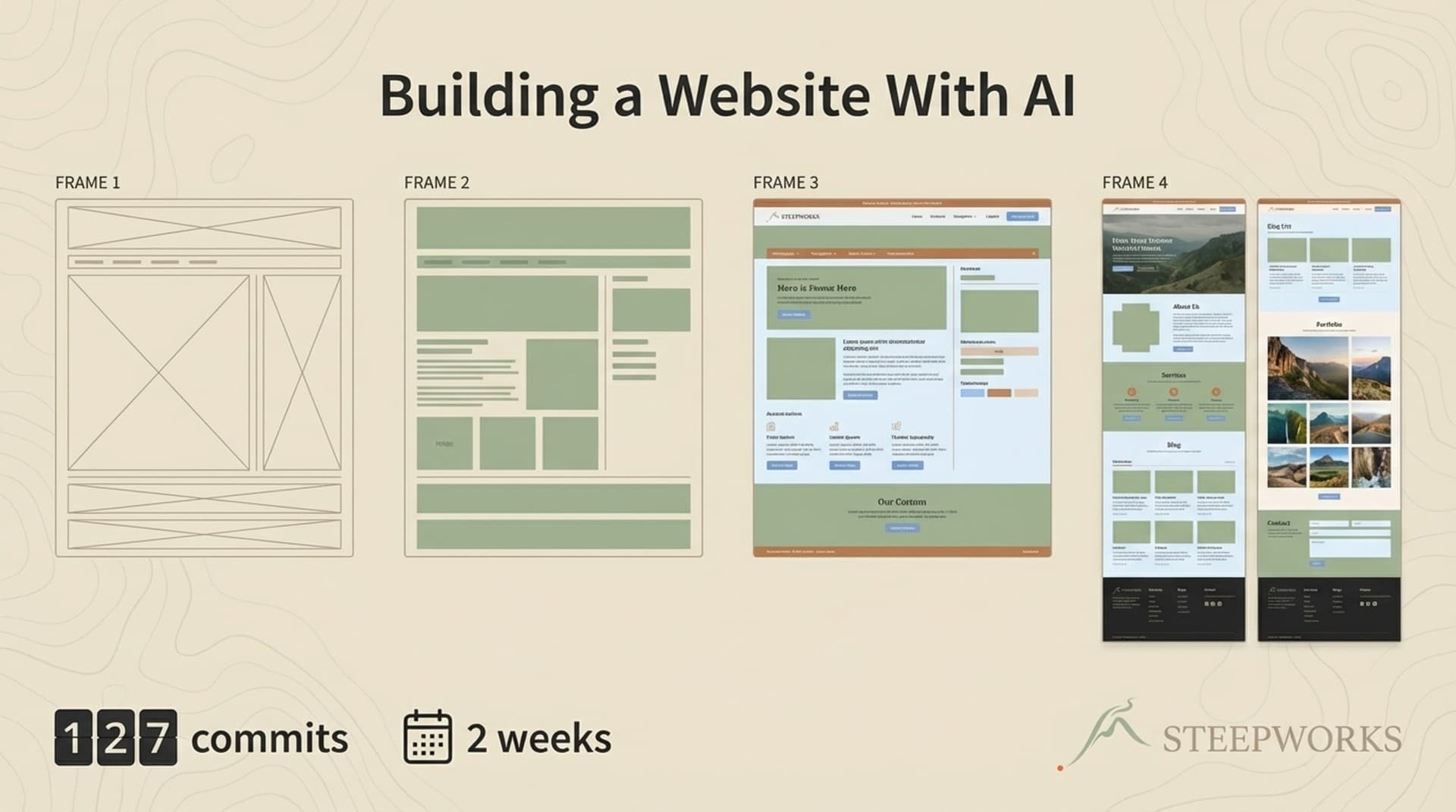
Building a website with AI is a solved problem if all you need is a landing page. Every AI website builder can generate one in minutes. Lovable, Replit, v0, Google's new frontend tools — they all produce something shippable fast. But I needed something different: a 12-page marketing site with a custom design system, brand-specific animations, SEO infrastructure, a newsletter archive, email capture, and a component library that would not collapse when I iterated on it three months later. I built it in two weeks with Claude Code — 127 commits, no local dev server, no Figma mockups. Here is what that actually looked like, and what it actually cost in sweat equity.
Why Most "I Built a Website With AI" Stories Miss the Point
The competing narratives treat AI website building as a one-shot exercise. Prompt, generate, deploy, done. Leon Furze wrote a solid walkthrough of building websites with Claude Code that captures the experience well. There are blog aggregator builds completed in a single day that make the whole thing look effortless. For personal portfolios and single-page sites, it genuinely is effortless. You can get something live before lunch.
That is not the same as building a website you can maintain.
The real question is not "can AI build a website?" but "can AI build a website you can extend and evolve over months without it turning into unmaintainable spaghetti?" The STEEPWORKS site launched with 12 pages in January. By March, it had grown to 13 pages across 555 total commits. Analytics integration. SEO copy remediation. A newsletter archive backed by Supabase. Article infrastructure with dynamic routing and ISR. An email capture popup that went through four design iterations. JSON-LD structured data on every page.
The interesting story is not the first deployment. It is the sustained iteration — and the upfront decisions that made iteration possible without a rewrite.
Who this is for: This workflow applies to solo operators, founders who need a web presence before they can afford a developer, and small marketing teams building campaign microsites. If you have a dedicated frontend engineering team, this article is useful context for how AI changes their workflow — but it is not a replacement for their expertise. The constraints that make this approach work (single operator, single design system, no multi-stakeholder review) are also what limit its applicability. I had no design review committee. I had no Figma handoff. That was both the advantage and the limitation.
The No-Local-Dev Workflow That Made It Possible
The backbone of the build was a deployment loop that replaced traditional local development:
- I describe what I want to Claude Code
- Claude Code writes TSX in the codebase
- I push to git
- Vercel auto-deploys in 30-60 seconds
- Playwright MCP screenshots the live site
- I review the screenshot and give the next instruction
No npm install. No localhost:3000. No Node.js on my machine. Vercel is the only runtime. The build happened without me running a development server once.
This is not theoretical. The STEEPWORKS repository has a literal rule file — a codified constraint in the AI instruction system — that says: "NEVER run a local dev server." The push-deploy-screenshot loop, the page-to-URL mapping table, the deployment URL — all codified. Claude Code cannot see a browser. It cannot run npm run dev. The screenshot loop gives it visual feedback through a different channel, and it works better than I expected.
The tradeoff: 45-90 second deploy cycles instead of sub-second hot reload. For structural work — new pages, new sections, feature additions — the longer cycle was fine because each iteration was substantive. I was not tweaking padding. I was building entire page sections, and the feedback loop was tight enough.
For CSS-intensive polish, this workflow is genuinely slower. The SectionBackground image debugging saga (more on that later) burned 10+ push-deploy cycles that would have been two minutes with hot reload. I cover this in the retrospective because it is a real cost. This is "here is why it worked for this project at this stage," not "here is the right way to build websites."
The companion article on the Vercel deploy workflow goes deeper on the mechanics — how the Playwright MCP integration works, how screenshot-driven development changes the feedback loop, and where it breaks down.
The Design System Claude Code Built — and the Decisions It Could Not Make
The Tailwind config is 200 lines of custom design tokens. Not default Tailwind — a fully opinionated system. Five brand color families, each with dual names mapping to the STEEPWORKS brand phases:
- brew/ember (
#E86329) — Ember Copper, the primary accent - steep/sand (
#E9E4DA) — Sand Tea, the primary background - climb/moss (
#9BB18E) — Moss Range, the secondary accent - summit/sky (
#A9C7DA) — Sky Vista, the tertiary accent - return/shadow (
#1B1B1B) — Shadow Alloy, text and dark elements
A 9-level typography scale from hero (72px, homepage only) down to small (14px, captions). Phase-based animation timing where brew is 300ms quick ignition and steep is 1500ms patient development. Inter for headlines, Spectral for body copy. Solarized Dark for code blocks. Brand-specific box shadows named ember-sm, moss-lg, sky.
Claude Code generated the initial config structure. It wrote the keyframe math, the responsive breakpoints, the Radix UI integration patterns, the JSX for every component. But the decisions that made this a design system instead of a pile of CSS — those were mine.
Here is the division of labor:
What Claude Code decided:
- Component file structure and naming conventions
- Responsive breakpoint logic
- Tailwind utility class combinations
- Radix UI integration patterns
- Animation keyframe math
- JSX structure and component composition
What required human judgment:
- Brand color names and their mapping to brand phases
- Typography font pairing (Inter + Spectral)
- Animation timing mapped to brand identity (why
brewis fast andsteepis slow) - Section ordering and narrative arc on each page
- Copy positioning and messaging hierarchy
- When to use TopographicLines vs. SteamRise vs. BrewParticles
Fourteen brand components emerged over the build: EmberBulletList, TopographicLines, SteamRise, BrewParticles, SectionBackground, SkillConstellation, and others. Claude Code wrote every line of code. I named them, decided when to deploy them, and chose which pages needed contour lines versus particle effects versus clean backgrounds. (how we implement)
The homepage alone has 15 section components. The story arc — Hero, Problem, Three Layers, Knowledge Architecture, Depth Preview, Use Cases, Credibility, Early Adopter, See It In Action, Footer CTA — was an editorial decision. Claude Code executed each section fast, but I rearranged them multiple times before the narrative felt right. The code was never the bottleneck. The taste was. (See also: knowledge os)
The design system document became the most important artifact. It includes rules like "NEVER use text-xl, text-2xl, text-3xl (these break the scale)." Once that document lived in the repository, Claude Code maintained brand coherence across sessions without me re-explaining the system every time. The constraint document taught the AI how to stay on-brand. That is the part most one-shot builders skip, and it is what makes sustained iteration possible. (See also: workflows)
I built the Tailwind config first and documented the design system later. That was a mistake. The documentation is what compounds — not the code.
Page by Page — How 12 Pages Shipped in 14 Days
The timeline is real, the commit messages are in the git log, and the process was messier than any timeline suggests. (explore pricing)
Days 1-2: Initial scaffold and homepage. "Phase 3 complete" was the first commit message, which tells you how many false starts preceded it. The homepage alone went through multiple hero rewrites, problem section redesigns, and section reordering. I knew roughly what I wanted — a story arc from awareness through consideration — but the execution was iterative. Build a hero. Hate it. Rebuild. Move the problem section. Add a three-layers section. Rearrange.
Days 3-5: Products, Pricing, Skills, Workflows. Each page got its own section component directory, and a pattern emerged: hero section, problem/context section, feature sections, CTA section. This is where the design system paid off — once the typography scale and color palette were established, new pages reused patterns without reinventing spacing and hierarchy. Claude Code was fast here. Describe a pricing table, get a pricing table. Describe a skills grid, get a skills grid. Structural work is where AI execution genuinely shines.
Days 6-8: About, FAQ, and the /why page. The /why page is a full letter-style page called "The Compound Effect" — long-form persuasive copy that reads more like an essay than a product page. Copy became the bottleneck, not code. Claude Code could build any section I described, but deciding what to say on the About page — what to include about my background, how much vulnerability to show, what narrative arc serves the brand — required human judgment that no amount of AI speed could accelerate. I spent more time thinking than prompting.
Days 9-11: Prompts page, See It In Action, newsletter archive. These required more complex data patterns. The newsletter archive introduced a CMS-lite data layer — not a full CMS, but structured data that needed to persist and render dynamically. This was the first signal that I should have planned the data layer upfront. I did not, and it cost me refactoring time later.
Days 12-14: Visual polish, SEO copy remediation, and the SectionBackground saga. The final stretch was where the no-local-dev workflow hurt most. Next.js Image fill prop issues, WebP versus JPG compatibility on Vercel, three different implementation approaches before landing on CSS background-image. Each attempt required a full push-deploy-screenshot cycle. Ten-plus cycles on what would have been a two-minute fix with hot reload. This is the honest cost of the workflow I chose — excellent for structural work, painful for visual debugging.
A prospect told me the site "looked like it was built by a real agency." That is the quality bar I was aiming for — not pixel-perfection, but professional credibility. The site scores 90+ on Lighthouse performance for most pages. It is not a design award winner. It is a site that does not embarrass the brand, loads fast, and functions as a real marketing asset. For a solo operator with no design background working entirely through AI, that felt like a meaningful outcome.
But getting to "looks like an agency built it" required sweat. This was not a one-shot generation. It was 127 commits across 14 days — nine commits per day on average, pushing and reviewing and adjusting constantly. Every page involved multiple iterations. The hero section alone probably went through five versions. The sweat equity is the story, not the speed.
The 555-Commit Evolution — What Happened After Launch
The 127 commits got the site live. The next 428 are where the real value showed up.
Post-launch, the site grew capabilities that would have each been their own project at an agency: GA4 and GTM analytics integration. Google Search Console verification. JSON-LD structured data on every page. SEO copy remediation across all 12 pages. An email capture popup with a multi-trigger system that went through four design iterations. Analytics infrastructure that a typical marketing team would spec as a standalone workstream.
The newsletter archive grew from a static page to a Supabase-backed CMS with individual issue pages, source links, and key takeaways. The articles infrastructure — the system serving the page you are reading now — required a Supabase database, dynamic [slug] routing, React Server Components, ISR (Incremental Static Regeneration), markdown rendering with custom components, a sticky table of contents sidebar, related articles, author cards, JSON-LD article schema, and cluster-based categorization. That is not a landing page. That is a content platform.
Each addition was a Claude Code session: describe the feature, watch it build, push, verify, iterate. The design system held. New sections used the same typography scale, color palette, and spacing patterns because the constraint document was in the repository. I did not have to re-explain the brand every session.
Here is how the 555 commits break down:
- ~60% additive — new features like analytics, articles infrastructure, newsletter archive, email capture, JSON-LD, new pages
- ~25% iterative polish — SEO copy remediation, popup design iterations, section reordering, responsive fixes
- ~15% bug fixes — image rendering issues, TypeScript errors, responsive breakpoint problems
The high commit count is a strength when you see the composition. It represents sustained investment in a living asset, not thrashing. The ratio of additive work to bug fixes tells the story: the architecture held, and most commits built forward rather than patched backward.
What I Would Change If I Were Building a Website With AI Again
After 555 commits and months of iteration, the patterns are clear. Some decisions paid off. Others cost me time I will not get back.
Start with the design system document, not the code. I built the Tailwind config first and documented it later. Next time, I would write the design system reference before the first component. The document teaches the AI to stay on-brand across sessions. The config is just the technical implementation. The document is the constraint that compounds — the artifact that prevents drift, that makes session 50 as brand-coherent as session 1. Addy Osmani's LLM coding workflow reinforces this: the specification layer is where humans add the most value.
Use local dev for CSS-intensive iteration. The no-local-dev workflow is excellent for structural work. It is painful for visual polish. The SectionBackground debugging is my evidence. If I were starting over, I would use the push-deploy-screenshot loop for page builds and feature additions, and spin up a local dev server for visual tuning passes. Hybrid workflow, matched to the task.
Define the page story arc before building sections. The homepage went through multiple section reorderings because I built sections first and figured out the narrative later. Story arc first, then section execution. This is a content strategy problem, not a code problem, and no amount of AI speed compensates for unclear editorial direction.
Invest in component documentation earlier. By the time the site had 158 components, finding the right one to reuse was harder than building a new one. A component index would have prevented duplication. This is technical debt that accumulates silently — you do not notice it until the tenth time you build a card component and realize you already have three.
Plan for the CMS transition from day one. The site started with hardcoded content. Adding Supabase-backed articles later required significant refactoring. If I had planned the data layer upfront, the newsletter archive and article infrastructure would have been cleaner. The CopilotKit team's 10 hard-earned lessons for developers land on a similar point: plan for where the system is going, not just where it starts.
Acknowledge the new tools. Since I built this site, the tools have gotten meaningfully better. Google's new frontend AI capabilities, Lovable's full-app generation, Replit's agent mode, v0's component generation — one-shot generation quality has improved. If I were starting a simple marketing site today, I might start with one of those tools and port to a maintainable codebase afterward. But for a site that needs to evolve across hundreds of commits with brand coherence and architectural integrity, I would still reach for this workflow: an AI coding agent working within a documented design system, pushing to a real deployment pipeline, building components that can be maintained and extended months later.
The difference between generating a site and building a site is the difference between a photograph and a garden. One is a moment captured. The other is a living system that requires sustained attention — and rewards it with compound growth.
| Metric | Value |
|---|---|
| Pages shipped in 2 weeks | 12 |
| Total pages (as of March 2026) | 13 |
| Total commits | 555 |
| TSX components | 158 |
| Brand components | 14 |
| Design system (Tailwind config) | 200 lines, 5 color families, 9 type levels |
| Framework | Next.js, React, Tailwind, Framer Motion |
| Deployment | Vercel auto-deploy, no local dev server |
| Estimated agency alternative | $15-30K |
What this cost me in API spend: I did not track it perfectly — an honest admission. Claude Code API usage across the initial build was a few hundred dollars at most, based on session counts. The real cost was my time. Two weeks of focused work, averaging nine commits a day, reviewing every screenshot, rewriting copy, rearranging sections, making taste calls that no AI can make for you.
The site is live at steepworks.io. Every claim in this article is verifiable against the deployed site and the git history behind it.
As Ethan Mollick observed in his piece on Claude Code and what comes next, we are entering a phase where AI coding is not about replacing developers — it is about changing who can build and what "building" means. The point is not that AI can build websites. That is table stakes. The point is that AI can build websites you can live in — sites that evolve, maintain brand coherence, and grow from 12 pages to a full content platform without a rewrite.
The design system held. The component library scaled. The no-local-dev workflow, despite its rough edges, produced a site that launched fast and iterated faster. None of it was effortless. The 555 commits, the rework, the iteration, the taste calls, the debugging sagas — that is the part that matters. If you are an operator considering building a website with AI, the lesson is simple: invest in constraints (design system, deployment workflow, component documentation) and let the AI execute within them. The constraints are what make the speed sustainable. And bring your patience. This is a climb, not a shortcut.